
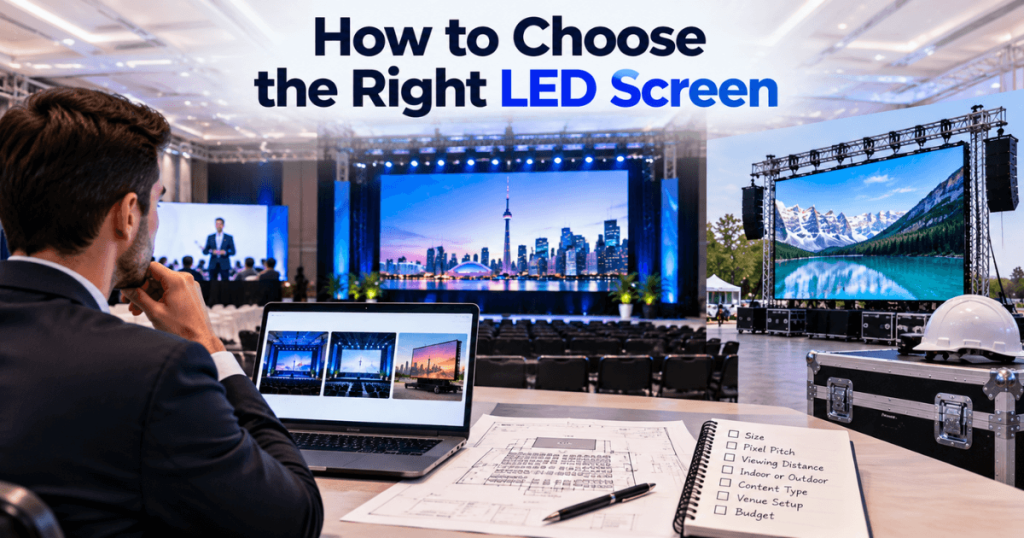
How to Choose the Right LED Screen
Choosing the right LED screen for an event requires more than comparing screen sizes or selecting the smallest available pixel pitch. The best LED display is the one that matches your audience size, viewing distance, event environment, content, screen dimensions, brightness requirements, cameras, installation method, and budget.
For example, a fine-pitch P1.9 LED wall can be excellent for a close-view corporate conference, while a larger P3.9 display may make more sense for a concert or outdoor event where the audience is farther away. Neither is automatically better—the application determines the right choice.
Our Toronto LED screen rental team provides LED display solutions for conferences, trade shows, corporate events, product launches, galas, concerts, festivals, sporting events, weddings, and other productions throughout Toronto and the GTA. With 23+ years of event production experience, we plan LED systems around the complete event environment rather than one specification.
This guide explains how to choose the right LED screen step by step.
What Should You Consider When Choosing an LED Screen?
Start with these eight questions:
- Is the event indoors or outdoors?
- How close is the nearest viewer?
- How far away is the farthest viewer?
- How large is the audience?
- What content will be displayed?
- Will cameras or IMAG be used?
- How much physical screen space is available?
- Will the LED wall be ground-supported or rigged?
These answers help determine:
Screen Type + Screen Size + Pixel Pitch + Brightness + Resolution + Installation Method
Choosing equipment before answering these questions can lead to unnecessary cost or poor visual performance.
Step 1: Choose Indoor or Outdoor LED
The first decision is the operating environment.
Indoor LED Screens
Indoor LED walls are designed for controlled environments such as:
- Hotel ballrooms
- Conference rooms
- Convention centres
- Trade show booths
- Corporate venues
- Banquet halls
They commonly prioritize:
- Fine pixel pitch
- Close viewing
- Presentation detail
- Controlled brightness
- Camera performance
Outdoor LED Screens
Outdoor LED displays are designed for applications such as:
- Festivals
- Concerts
- Sporting events
- Fan zones
- Community events
- Outdoor corporate events
Outdoor systems require consideration of:
- Daylight visibility
- Weather exposure
- Environmental protection
- Wind
- Structural support
- Outdoor power
Do not select an indoor LED wall simply because it has a finer pixel pitch if the event actually requires outdoor-rated equipment.
Step 2: Determine the Closest Viewing Distance
The closest audience position is one of the most important factors when choosing pixel pitch.
Pixel pitch measures the distance between neighbouring LED pixels.
Common event rental options include:
- P1.5
- P1.9
- P2
- P2.5
- P2.6
- P2.9
- P3.9
A smaller number means the pixels are positioned more closely together.
This creates greater pixel density and can produce smoother-looking detailed content when viewers are close.
For close-view conferences and trade shows, fine-pitch LED can therefore be valuable.
Step 3: Choose the Right Pixel Pitch
A practical starting guide is:
| Pixel Pitch | General Application | Common Event Use |
|---|---|---|
| P1.5–P1.9 | Very close viewing | Premium corporate, detailed presentations |
| P2–P2.6 | Close to medium | Conferences, trade shows, launches |
| P2.9 | Medium viewing | Corporate stages, larger events |
| P3.9 | Medium to longer viewing | Concerts, festivals, large displays |
These are planning categories rather than fixed viewing-distance rules.
The correct pitch depends on the combination of:
Viewing Distance + Content Detail + Screen Size + Budget
Is a Smaller Pixel Pitch Always Better?
No.
This is one of the most common LED selection mistakes.
A smaller pixel pitch provides more pixels within a given physical area, but that additional resolution may not be visible or useful to an audience standing far away.
For example:
A P1.9 LED wall may be an excellent choice for a financial conference where attendees sit close and need to read detailed charts.
A P3.9 LED wall may be more practical for a large concert where the audience views a much larger display from significantly farther away.
Choosing P1.9 simply because it has a smaller number can unnecessarily increase the rental budget.
Step 4: Calculate the Required Screen Size
Pixel pitch determines image density.
Physical screen size determines whether the audience can actually see the content.
These should not be confused.
A useful starting method for presentation-heavy events is:
Screen Height ≈ Farthest Important Viewing Distance ÷ 6 to 8
For example:
If the farthest important viewer is 60 feet away:
60 ÷ 8 = 7.5 ft
60 ÷ 6 = 10 ft
A screen approximately 8–10 feet high may provide a reasonable starting point for further planning.
The final dimensions should then be adjusted for the room, content, stage, and available LED cabinet sizes.
How Wide Should the LED Screen Be?
For a conventional 16:9-style display:
Screen Width ≈ Screen Height × 1.78
An approximately 9-foot-high screen would therefore be roughly:
16 ft wide × 9 ft high
However, modular LED does not need to follow a standard television format.
Possible configurations include:
- 16:9 LED wall
- Ultra-wide backdrop
- Vertical display
- Multiple screens
- Centre screen with side displays
- Creative LED configuration
The event design should determine the aspect ratio.
Step 5: Consider Audience Width and Depth
Audience count alone does not determine screen size.
Imagine two events with 500 attendees.
Event A
The audience is arranged in a wide, shallow ballroom.
Event B
The audience is arranged in a narrow, deep hall.
Event A may need better side viewing coverage.
Event B may need greater screen height because attendees are much farther from the stage.
This is why LED planning should consider:
- Audience width
- Audience depth
- Closest viewer
- Farthest viewer
- Seating direction
- Viewing angles
For large rooms, additional side screens may provide better visibility than one enormous centre screen.
Step 6: Identify What Content Will Be Displayed
Content has a major influence on LED selection.
PowerPoint
Detailed presentations usually benefit from:
- Fine pixel pitch
- Good physical screen size
- High contrast
- Appropriate resolution
Video
Video can often tolerate greater viewing distances and somewhat larger pixel pitches.
IMAG
Live camera feeds usually prioritize:
- Large physical image size
- Camera-compatible LED performance
- Good processing
- Proper brightness
Product Demonstrations
Close-view product detail may justify fine-pitch LED.
Scenic Graphics
Large entertainment visuals may prioritize physical scale over extremely fine resolution.
Choose the LED system for the content the audience actually needs to see.
Step 7: Determine the Required Resolution
An LED wall does not automatically have a standard 1920×1080 resolution.
Native resolution depends on:
Panel Resolution × Number of Panels
For example, suppose each cabinet contains:
192 × 192 pixels
and the LED wall contains:
8 cabinets across × 5 cabinets high
The final native canvas becomes:
1536 × 960 pixels
Professional processors can scale standard presentation and video signals for the actual LED canvas.
The objective is not necessarily to build exactly 1080p or 4K.
The objective is to provide enough resolution for the audience and content.
Do You Need a 4K LED Wall?
Not necessarily.
A 4K source does not mean the LED wall must contain exactly 3840×2160 physical pixels.
A 4K video can be processed for a custom-resolution LED canvas.
Building a native 4K LED wall can require substantial physical dimensions depending on the pixel pitch.
For many events, budget is better allocated toward:
- Appropriate screen dimensions
- Suitable pixel pitch
- Professional processing
- Cameras
- Better sightlines
A 4K specification should solve an actual production requirement rather than simply serve as a marketing number.
Step 8: Choose the Right Brightness
Brightness is measured in nits.
The correct brightness depends heavily on ambient light.
Indoor Events
Indoor LED walls generally require controlled output because the display needs to balance with:
- Room lighting
- Stage lighting
- Presenters
- Cameras
Extreme brightness can actually reduce visual comfort.
Outdoor Events
Outdoor displays require substantially greater brightness to remain visible under daylight.
Direct sunlight can be especially demanding.
For outdoor applications, consider:
- Time of day
- Sun direction
- Screen orientation
- Audience location
- Shade
- Screen brightness capability
Higher brightness is useful when the environment requires it—not simply because a larger number looks better on a specification sheet.
Step 9: Consider Cameras and IMAG
If the event uses professional cameras, LED selection should account for camera performance.
IMAG is common at:
- Conferences
- Corporate meetings
- Award ceremonies
- Galas
- Concerts
- Graduations
- Sporting events
Important considerations can include:
- Refresh performance
- Brightness
- Processing
- Camera settings
- Stage lighting
- Colour consistency
A screen can look excellent to the human eye while requiring additional adjustment to look equally good on camera.
The LED and camera systems should therefore be planned together.
What Is Refresh Rate and Why Does It Matter?
Refresh rate describes how frequently the LED display refreshes its image.
For events involving professional cameras, suitable refresh performance is important because poorly matched systems can produce visible artifacts on camera.
This can become especially important for:
- IMAG
- Livestreaming
- Recording
- Broadcast production
- Product launches
- Hybrid events
Do not evaluate a rental LED screen using pixel pitch alone.
Camera performance is part of the complete specification.
Step 10: Choose Ground-Supported or Rigged LED
The installation method affects sightlines, stage space, labour, and cost.
Ground-Supported LED Wall
A professional support structure carries the display from an appropriate ground or stage position.
Ground support can work well for:
- Conferences
- Trade shows
- Corporate events
- Hotel ballrooms
- Product launches
Rigged LED Wall
The LED wall is suspended using an appropriately engineered and venue-approved professional rigging system.
Rigging can help:
- Elevate the display
- Improve sightlines
- Preserve stage space
- Support larger production designs
The right method depends on venue conditions, structural requirements, screen dimensions, and production design.
Professional rigging should always be handled by qualified personnel.
Step 11: Consider Screen Elevation
Even a correctly sized screen can become difficult to see if positioned too low.
For seated audiences, people in front can block the lower part of the display for attendees farther back.
Screen elevation should account for:
- Stage height
- Audience depth
- Screen height
- Closest viewer
- Ceiling height
- Seating arrangement
The goal is to keep important presentation content visible across the audience.
Step 12: Decide Between One Screen and Multiple Screens
One LED wall is not always the best solution.
One Main LED Wall
Suitable when the audience has good central sightlines.
Main Wall + Side Screens
Useful for:
- Large conferences
- Conventions
- Award ceremonies
- Concerts
The main display can handle presentations and branding while side screens show IMAG.
Multiple Distributed Screens
Useful when attendees occupy a very large or unusually shaped event space.
Screen placement should solve audience visibility rather than simply increase total LED area.
Step 13: Consider a Seamless LED Wall
For large event stages, modular direct-view LED can create a continuous visual surface without prominent monitor bezels.
This is useful for:
- PowerPoint
- IMAG
- Videos
- Event branding
- Motion graphics
- Product demonstrations
A seamless LED wall can also be built in custom dimensions, allowing the screen to integrate into the scenic design.
The seamless appearance depends on:
- Panel alignment
- Consistent calibration
- Pixel pitch
- Processing
- Viewing distance
Step 14: Consider Ultra-Wide and Creative LED Displays
A conventional rectangular screen is not the only option.
Modular LED can support production designs such as:
- Ultra-wide stage backdrops
- Vertical LED columns
- Multiple synchronized screens
- Curved LED with compatible systems
- Scenic LED elements
- Creative display configurations
An ultra-wide conference wall could display:
IMAG | Presentation | IMAG
A product launch might use:
Branding | Product Video | Live Camera | Branding
Creative LED works best when the content is designed specifically for the final canvas.
How to Choose LED Screens for Conferences
Conference LED screens typically need to handle:
- PowerPoint
- Keynote
- IMAG
- Videos
- Sponsor content
- Remote speakers
- Event branding
A strong starting configuration may include:
- Fine-pitch indoor LED
- P1.9–P2.6 depending on viewing distance
- Sufficient physical screen size
- Professional video processing
- Presentation switching
- Cameras where required
Presentation readability should be the primary consideration.
How to Choose LED Screens for Trade Shows
Trade show attendees often stand very close to displays.
Prioritize:
- Fine pixel pitch
- High-quality graphics
- Appropriate brightness
- Product detail
- Clean installation
P1.9–P2.6 LED can be useful for many close-view booth environments.
Screen size should be matched to booth dimensions rather than simply made as large as possible.
How to Choose LED Screens for Product Launches
Product launches can benefit from:
- Fine-pitch LED
- Large custom canvases
- Media servers
- Professional playback
- Cameras
- Creative content
The display may need to show detailed product close-ups as well as large cinematic launch sequences.
Screen dimensions and content design should therefore be developed together.
How to Choose LED Screens for Galas and Award Ceremonies
For galas and awards, consider:
- Stage design
- IMAG
- Nominee graphics
- Sponsor content
- Video playback
- Lighting
- Cameras
Fine-pitch LED can provide a polished visual result, but excessive brightness should be avoided in darker ballroom environments.
The screen should complement the event design rather than overpower it.
How to Choose LED Screens for Concerts
Concert LED requirements differ significantly from corporate presentations.
Priorities may include:
- Large physical size
- Long-distance visibility
- IMAG
- High refresh performance
- Stage integration
- Brightness
Because audiences are often farther away, P2.9 or P3.9 may provide more practical value than very fine-pitch LED, depending on the production.
For outdoor concerts, outdoor-rated LED becomes essential.
How to Choose LED Screens for Outdoor Events
Outdoor selection should consider:
- Outdoor-rated equipment
- Daylight brightness
- Weather conditions
- Structural requirements
- Audience distance
- Screen orientation
- Power
- Site access
Large outdoor events may use:
- Ground-supported LED walls
- Stage-integrated LED
- Mobile LED Trailers
The correct solution depends on site and production requirements.
Quick LED Screen Selection Table
| Event Type | Pixel Pitch Priority | Screen Size Priority | Brightness Priority |
|---|---|---|---|
| Executive Meeting | Very High | Medium | Low–Medium |
| Conference | High | High | Medium |
| Trade Show | Very High | Medium | Medium–High |
| Product Launch | High | High | Medium |
| Gala | High | High | Controlled |
| Award Ceremony | High | High | Controlled |
| Indoor Concert | Medium | Very High | Medium–High |
| Outdoor Concert | Medium | Very High | Very High |
| Festival | Medium | Very High | Very High |
| Sporting Event | Distance-dependent | Very High | High outdoors |
| Fan Zone | Distance-dependent | Very High | Very High outdoors |
Common Mistakes When Choosing an LED Screen
Choosing the Smallest Pixel Pitch Available
More pixels do not automatically create better value.
Choosing by Price Alone
A cheap screen that is too small or inappropriate for the environment can compromise the event.
Choosing by Audience Count Alone
Audience geometry matters.
Ignoring the Farthest Viewer
Physical screen size needs to support the entire audience.
Ignoring the Closest Viewer
Pixel pitch needs to work at close distances.
Using Indoor LED Outdoors
Outdoor environments require suitable equipment.
Choosing Maximum Brightness Indoors
Excessive brightness can create uncomfortable viewing and camera problems.
Ignoring Cameras
IMAG and livestreaming should influence the LED specification.
Forgetting Content Resolution
The content should be prepared for the actual LED canvas.
Treating the LED Wall as Standalone Equipment
Processing, power, support, signals, labour, and technical operation are all part of the system.
Our LED Screen Selection Process
For Toronto events, our planning process considers the complete production.
1. Event Review
We identify event type, venue, schedule, and production requirements.
2. Audience Review
We evaluate audience width, depth, and seating.
3. Viewing Distance
Closest and farthest viewing positions are considered.
4. Screen Sizing
We determine appropriate physical dimensions.
5. Pixel Pitch Selection
Pixel density is matched to viewing distance and content.
6. Indoor or Outdoor Specification
The LED system is matched to the operating environment.
7. Content Review
PowerPoint, videos, IMAG, branding, and custom graphics are considered.
8. Installation Planning
Ground support or appropriate venue-approved rigging is planned.
9. Video System Design
Processing, switching, cameras, playback, and signal distribution are configured.
10. Testing and Rehearsal
The complete system is tested before the live program.
How to Choose the Right LED Screen — Part 2
P1.9 vs P2.6 vs P3.9: Which LED Screen Should You Choose?
P1.9, P2.6, and P3.9 can all be excellent event LED screens, but they are designed for different viewing environments.
The most important difference is pixel density.
P1.9 places pixels much closer together than P3.9. This allows detailed content to appear smoother when attendees are close to the screen. P3.9, however, can provide excellent results for larger displays viewed from farther away.
| Feature | P1.9 | P2.6 | P3.9 |
|---|---|---|---|
| Pixel Density | Very High | High | Moderate |
| Close Viewing | Excellent | Very Good | Less suitable |
| PowerPoint Detail | Excellent | Very Good | Distance-dependent |
| Trade Show Booth | Excellent | Excellent | Application-dependent |
| Conference | Excellent | Excellent | Large-room use |
| Large Stage | Good | Excellent | Excellent |
| Concert | Usually unnecessary | Good | Excellent |
| Outdoor Use | Product-dependent | Product-dependent | Common outdoor option |
| Relative Rental Cost | Higher | Medium–High | Often lower per area |
The best option depends on what the audience will actually see.
When Should You Choose P1.9 LED?
P1.9 is most useful when the audience is relatively close and visual detail is important.
Consider P1.9 for:
- Executive meetings
- Premium conferences
- Financial presentations
- Medical conferences
- Technology events
- Detailed product demonstrations
- High-end trade show booths
- Close-view corporate events
It can be particularly valuable when the LED wall needs to display detailed charts, software interfaces, product imagery, or small graphical elements.
However, P1.9 is not automatically necessary for every corporate event.
If attendees are farther away, P2.6 may provide similar perceived quality at a more practical rental cost.
When Should You Choose P2.6 LED?
P2.6 can provide an excellent middle ground for many indoor events.
It combines relatively high pixel density with the ability to build larger event displays efficiently.
Common applications include:
- Conferences
- Corporate meetings
- Trade shows
- Product launches
- Award ceremonies
- Galas
- University events
- Indoor entertainment
For many Toronto hotel ballroom and convention environments, P2.6 can be a strong option when audiences need good presentation detail without requiring extremely close-view P1.9 resolution.
When Should You Choose P3.9 LED?
P3.9 becomes particularly practical as viewing distance increases.
It is commonly suitable for:
- Concerts
- Festivals
- Sporting events
- Fan zones
- Large corporate stages
- Large-format IMAG
- Outdoor events
- Community events
If attendees are viewing a 20- or 30-foot-wide LED wall from a significant distance, they may gain more from the larger physical display than from paying for extremely fine pixel density.
P3.9 equipment is also widely available in configurations designed for larger indoor and outdoor event applications.
Should You Choose Better Pixel Pitch or a Bigger Screen?
If the budget requires a choice, consider the audience first.
Imagine two possible systems:
Option A: Smaller P1.9 LED wall
Option B: Larger P2.6 or P3.9 LED wall
For a close-view trade show booth, Option A may provide more value.
For a 700-person general session, Option B may provide better visibility because attendees farther from the stage need a larger physical image.
The key principle is:
Pixel pitch improves detail.
Screen size improves visibility across distance.
Neither should be optimized without considering the other.
Screen Size vs Resolution: Which Matters More?
Both matter, but their importance changes with the event.
Detailed Corporate Presentation
Resolution may be a high priority because attendees need to read charts and text.
Large Concert
Physical screen dimensions may be more important because the audience needs to see performers from far away.
Trade Show Booth
Pixel density matters because attendees stand close.
Large Conference
Both screen size and resolution can be important because PowerPoint and IMAG must work across a large room.
A technically high-resolution screen is not useful if it is physically too small for the audience.
Indoor LED vs Outdoor LED: How Do You Decide?
Use the environment as the first filter.
Choose indoor LED when the screen will operate in a protected indoor environment and priorities include:
- Fine pixel pitch
- Controlled brightness
- Close viewing
- Detailed presentations
Choose appropriately rated outdoor LED when the display may face:
- Daylight
- Weather exposure
- Outdoor temperature changes
- Wind-related structural considerations
- Longer viewing distances
Do not select an LED product based only on resolution.
Environmental suitability comes first.
LED Screen vs Projector: Which Should You Choose?
Both technologies have useful event applications.
| Requirement | LED Screen | Projector |
|---|---|---|
| Bright Environment | Strong option | More challenging |
| Modular Sizing | Excellent | Limited by screen/surface |
| Custom Aspect Ratio | Excellent | Possible with planning |
| Large Stage Backdrop | Excellent | Application-dependent |
| Small Breakout Room | May be unnecessary | Excellent |
| Close Fine Detail | Fine-pitch LED works well | Strong with suitable system |
| Scenic Integration | Excellent | Good |
| No Projection Path | Yes | No |
| Outdoor Daylight | Suitable high-brightness LED | Generally challenging |
For a small breakout room, projection can remain practical and cost-effective.
For a large main stage where brightness, visual impact, modular sizing, or creative integration matters, LED can offer significant advantages.
LED Screen vs TV Monitor: Which Is Better?
TV monitors are useful for smaller viewing environments.
Choose a TV monitor for:
- Small meetings
- Breakout rooms
- Confidence monitors
- Registration areas
- Digital signage
- Small booths
Choose an LED wall when you need:
- Larger physical dimensions
- Modular sizing
- Long-distance visibility
- Seamless large-format images
- Custom stage integration
- Large audience coverage
A 75- or 98-inch monitor may be sufficient for a small meeting but inadequate for a ballroom audience.
LED Screen vs LCD Video Wall
LCD video walls use multiple monitors placed together.
The physical bezels between monitors can create visible lines through the image.
Direct-view LED uses modular cabinets designed to create a much more continuous visual canvas.
LED is particularly useful for:
- Main conference stages
- Product launches
- Large trade show displays
- Award ceremonies
- Entertainment stages
LCD displays can still work well for command centres, information displays, smaller installations, and applications where the monitor format is appropriate.
How Does Budget Affect LED Screen Selection?
Budget should be considered after identifying the minimum technical requirements.
The main cost drivers generally include:
- Screen dimensions
- Pixel pitch
- Indoor/outdoor specification
- Rental duration
- Ground support or rigging
- Video processing
- Delivery
- Installation
- Labour
- Cameras and IMAG
- Media playback
- Show operation
The goal should be to remove specifications the audience does not need—not essential production elements.
Where Should You Spend More of the LED Budget?
Prioritize the factors that directly affect audience experience and reliability.
Screen Size
Spend more here when attendees are far from the stage.
Fine Pixel Pitch
Spend more here when attendees are close and detailed content matters.
Cameras and IMAG
Spend more here when a large audience needs to see presenters or performers.
Processing
Reliable processing and switching are important when multiple sources are involved.
Technical Labour
Professional installation and operation become increasingly important as the system grows in complexity.
Redundancy
High-profile productions may justify backup signal paths or presentation systems.
Where Can You Avoid Unnecessary LED Costs?
Do Not Automatically Choose P1.9
If P2.6 provides sufficient detail, finer pitch may add cost without meaningful audience benefit.
Do Not Oversize the Screen
A massive LED wall can overwhelm a small room.
Avoid Unnecessary Creative Configurations
Custom shapes can require more processing, content preparation, and labour.
Finalize Content Early
Last-minute content and layout changes can complicate production.
Choose the Right Installation Method
Where appropriate, a ground-supported wall can sometimes simplify production compared with a rigged system.
Plan Multi-Day Events Efficiently
Keeping an LED system installed can be more efficient than repeated installation and removal.
How Should Content Influence Your LED Choice?
Different content creates different technical priorities.
| Content | Main LED Requirement |
|---|---|
| PowerPoint | Fine detail + readable size |
| Financial Charts | Fine pixel pitch |
| Product Images | Detail + colour |
| IMAG | Large physical screen |
| Cinematic Video | Size + contrast |
| Sponsor Logos | Readability |
| Scenic Graphics | Large canvas |
| Software Demo | Fine pixel pitch |
| Sporting Feed | Large screen + brightness |
| Concert IMAG | Large screen + camera performance |
Ask what will actually appear on the screen before selecting the equipment.
How Should You Prepare Content for an LED Wall?
Once the LED configuration is finalized, content should be prepared for the actual display canvas.
Consider:
- Native resolution
- Aspect ratio
- Font size
- Image resolution
- Video format
- Content zones
- Safe areas
- Branding placement
For a standard 16:9 wall, conventional presentation formats may work well.
For an ultra-wide LED canvas, content may need to be specifically designed.
For example:
IMAG | PowerPoint | IMAG
or:
Branding | Video | Product Information | Branding
Testing the final content before doors open is essential.
How Do You Choose an LED Screen for PowerPoint?
For presentation-heavy events, prioritize:
- Appropriate physical screen size
- Fine enough pixel pitch
- Good contrast
- Proper content scaling
- Readable presentation design
PowerPoint containing small text, spreadsheets, charts, and detailed diagrams can benefit from finer-pitch LED.
But presentation design remains important.
Even a premium P1.9 wall cannot make poorly designed slides ideal for attendees sitting 100 feet away.
How Do You Choose an LED Screen for IMAG?
For IMAG, physical size becomes extremely important.
The purpose is to make the presenter or performer visible to attendees who cannot clearly see the stage.
Consider:
- Audience depth
- Screen dimensions
- Screen elevation
- Camera positions
- Camera-compatible LED performance
- Video processing
- Stage lighting
For a large audience, a bigger P2.9 or P3.9 wall may provide more value than a smaller P1.9 display.
How Do You Choose an LED Screen for Livestreaming?
If the event will be livestreamed or recorded, the LED system should be planned with the camera system.
Important factors include:
- Refresh performance
- Brightness
- Colour consistency
- Camera exposure
- Stage lighting
- Processing
- Content
During rehearsal, technicians can balance the LED wall with presenters and stage lighting so the display performs appropriately both in the room and on camera.
Should You Choose a Mobile LED Trailer?
A Mobile LED Trailer can be a practical option for suitable outdoor events.
Common applications include:
- Sporting events
- Fan zones
- Festivals
- Community events
- Outdoor corporate events
- Public screenings
Advantages can include:
- Outdoor display capability
- Elevated screen position
- Faster deployment for suitable sites
- Large-format viewing
A conventional ground-supported LED wall may provide more flexibility in screen dimensions and stage integration.
The site and production requirements should determine which approach is appropriate.
Event-by-Event LED Screen Selection Matrix
| Event | Suggested Starting Direction | Main Priority |
|---|---|---|
| Executive Meeting | P1.9–P2.6 indoor | Detail |
| Corporate Conference | P1.9–P2.6 indoor | PowerPoint + IMAG |
| Medical Conference | Fine-pitch indoor | Detailed content |
| Technology Conference | Fine-pitch indoor | Software/presentation detail |
| Trade Show | P1.9–P2.6 | Close viewing |
| Product Launch | Fine-pitch/custom LED | Product detail |
| Gala Dinner | P2–P2.9 | Stage integration |
| Award Ceremony | P2–P2.9 | IMAG + graphics |
| Wedding | P2.6–P3.9 depending on distance | Video + cameras |
| Indoor Concert | P2.9–P3.9 | Physical scale |
| Outdoor Concert | Outdoor P3.9 or application-specific | Size + brightness |
| Festival | Outdoor LED | Brightness + distance |
| Sporting Event | Outdoor/large-format LED | Visibility |
| Fan Zone | Outdoor/mobile LED | Size + daylight |
| Community Event | Outdoor/mobile LED | Practical coverage |
These are starting directions, not fixed specifications. Actual equipment selection depends on the available LED products and event environment.
Final LED Screen Selection Checklist
Before confirming an LED rental, verify:
- Indoor or outdoor?
- Closest viewing distance?
- Farthest viewing distance?
- Audience width and depth?
- Required screen dimensions?
- Pixel pitch?
- Brightness requirement?
- Native resolution?
- PowerPoint or detailed content?
- Cameras or IMAG?
- Livestreaming or recording?
- 16:9 or custom canvas?
- Ground-supported or rigged?
- Screen elevation?
- Processing and switching requirements?
- Installation and technical support?
If these questions are answered before equipment is booked, LED selection becomes much more accurate.
Common LED Screen Selection Mistakes
Selecting by Pixel Pitch Alone
Pixel pitch does not determine screen size, brightness, environmental suitability, or production quality.
Choosing the Cheapest Screen
The lowest equipment price may not provide the required viewing experience.
Selecting a Screen That Is Too Small
High resolution cannot compensate for inadequate physical size.
Paying for Unnecessary Resolution
Fine pitch provides little value when the audience cannot perceive the difference.
Ignoring Content
PowerPoint and concert IMAG have very different requirements.
Ignoring Cameras
LED walls should be evaluated as part of the complete camera and lighting environment.
Ignoring Installation
Screen support, rigging, power, cabling, and labour are essential parts of the system.
Forgetting Sightlines
Correct screen dimensions mean little if attendees cannot see the display.
Ignoring Outdoor Conditions
Outdoor LED requires suitable brightness, equipment, structural planning, and environmental protection.
Choosing Equipment Before Understanding the Event
The event requirements should determine the LED—not the other way around.
Frequently Asked Questions About Choosing an LED Screen
What pixel pitch is best for an indoor event?
For many close-view indoor events, approximately P1.9–P2.6 can provide a strong starting range. The correct choice depends on viewing distance, content, screen dimensions, and budget.
Is P1.9 better than P2.6?
P1.9 provides greater pixel density, but it is not automatically better for every event. P2.6 may deliver excellent perceived quality when attendees are farther from the screen.
Is P3.9 good for events?
Yes. P3.9 can be highly effective for larger screens, concerts, entertainment, outdoor events, and applications with longer viewing distances.
How large should my LED screen be?
Physical screen size should be based primarily on audience width, audience depth, farthest viewing distance, content, and venue layout rather than attendee count alone.
Should I choose LED or a projector?
LED is strong for bright environments, modular sizing, large stages, and creative displays. Projection can remain practical for breakout rooms, meetings, and applications where a conventional projection system meets the requirements.
Is an LED screen better than a large TV?
For large audiences, LED provides much greater scalability. TVs remain useful for small meetings, breakout rooms, signage, and confidence monitoring.
What LED screen is best for PowerPoint?
A sufficiently large fine-pitch indoor LED wall is usually well suited to detailed presentations. Exact pixel pitch should be selected according to viewing distance.
What LED screen is best for an outdoor event?
Use appropriately rated outdoor LED with sufficient brightness, physical size, structural support, and environmental protection for the site conditions.
Do I need a 4K LED wall?
Not necessarily. The correct screen should provide sufficient resolution at the intended viewing distance. Standard HD or 4K sources can also be processed for custom LED canvas resolutions.
What information should I provide when requesting an LED screen rental quote?
Provide the event date, venue, indoor/outdoor environment, audience size, audience depth, closest viewing distance, content type, desired screen size if known, camera requirements, event duration, and installation schedule.
Why Choose Our Toronto LED Screen Rental Team?
Choosing the right LED screen requires balancing screen size, pixel pitch, brightness, resolution, viewing distance, content, cameras, installation, and budget.
Our Toronto LED screen rental capabilities include:
- Fine-pitch indoor LED video walls
- Large-format LED screens
- Outdoor LED displays
- Mobile LED Trailers
- Seamless LED walls
- Creative LED configurations
- Video processors
- Presentation switching
- Media playback
- Cameras and IMAG
- Signal distribution
- Ground-support planning
- Rigging coordination
- Content testing
- Rehearsal support
- Live technical operation
- Professional installation and removal
With 23+ years of event production experience, we support conferences, corporate meetings, trade shows, exhibitions, product launches, galas, award ceremonies, concerts, festivals, sporting events, fan zones, weddings, and other productions throughout Toronto and the GTA.
The simplest way to choose the right LED screen is to avoid asking “Which LED panel has the best specification?”
Instead, determine:
Environment → Indoor or Outdoor LED
Closest Viewer → Pixel Pitch
Farthest Viewer → Physical Screen Size
Audience Layout → Screen Placement
Content → Resolution and Aspect Ratio
Ambient Light → Brightness
Cameras → Refresh and Processing
Venue → Installation Method
When these factors are evaluated together, the result is an LED screen that is appropriately sized, technically suitable, and cost-effective for the actual event.