
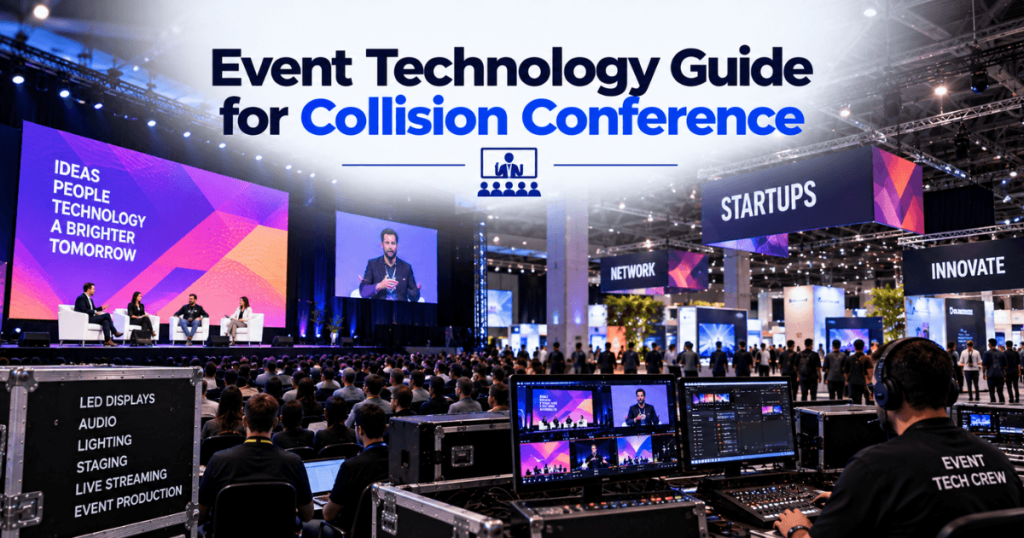
Technology conferences bring together speakers, startups, investors, exhibitors, and media teams. Their production needs often extend beyond a conventional corporate event: organizers may need large presentation displays, product demonstration areas, live cameras, reliable internet, and content that changes throughout the day.
For businesses planning a Collision-related event in Toronto, the right technology depends on the format. A keynote session, startup showcase, investor meeting, and branded networking event each require a different combination of audiovisual equipment.
Our Toronto LED screen rental team supports technology conferences, corporate events, and exhibitions throughout Toronto and the GTA. With 23+ years of event production experience, we plan LED displays and video systems around the audience, venue, content, and event schedule.
This guide explains the technology requirements for a Collision-style conference, including stage displays, exhibition booths, presentation systems, cameras, connectivity, and production planning.
Event naming note: Collision is a historical Toronto conference reference, not confirmation of an upcoming Toronto edition. This guide is intended for planning technology conferences and related events in Toronto; confirm the name, location, and dates of any specific event before booking.
What Technology Does a Collision-Style Conference Need?
A large technology conference can include several event environments operating at the same time.
Event Area | Typical Technology Requirements |
|---|---|
Main keynote stage | Large LED wall, audio, lighting, video switching |
Breakout sessions | Presentation displays, microphones, playback |
Startup exhibition | Fine-pitch LED, digital signage, product demos |
Investor meetings | Smaller displays, presentation connectivity |
Media area | Cameras, recording, interview lighting |
Registration | Digital signage, check-in systems |
Networking events | Branded displays, audio, event lighting |
Hybrid sessions | Cameras, streaming, suitable internet connection |
The complete equipment plan should be based on the actual event floor plan and program rather than assuming every area needs the same AV package.
What Can Event Planners Learn From Collision Toronto?
Collision’s final Toronto edition took place in 2024. According to the organizer, it welcomed 37,832 attendees, 1,623 exhibiting startups, 570 speakers, and 1,003 journalists. The event transitioned to Web Summit Vancouver in 2025.
Those figures illustrate why a large technology conference needs several coordinated production environments. The following are general planning recommendations, not claims about Collision’s specific equipment or supplier arrangements.
What LED Screen Is Suitable for a Technology Conference?
LED screens can support keynote presentations, product launches, startup demonstrations, and sponsor branding. Choose the display based on viewing distance, content, room size, and installation conditions.
LED Solution | Suitable Application | Main Consideration |
|---|---|---|
Fine-pitch LED wall | Detailed presentations and product demonstrations | Close-view readability |
Large-format LED wall | Main-stage keynotes | Audience sightlines |
Ultra-wide LED backdrop | Brand storytelling and launch visuals | Custom content dimensions |
Side IMAG screens | Large or wide audiences | Camera integration |
LED poster display | Registration or compact exhibitor areas | Placement and content |
Outdoor LED screen | Suitable outdoor networking or launch events | Weather and site requirements |
For a startup booth where visitors stand close to the display, P1.9 or P2.6 may be worth evaluating. For a larger stage viewed from farther away, other pixel pitches may be appropriate.
Select pixel pitch after confirming the screen size and viewing distance—not by price alone.
How Should You Design a Main-Stage Technology Conference?
A keynote stage must make speakers and their content visible throughout the audience area.
Start with the stage dimensions and seating plan. Then determine the LED wall size, camera positions, lighting, audio coverage, and presentation workflow.
Main-Stage Technology Checklist
LED wall sized for the audience and content
Clear presenter sightlines
Reliable microphones and audio coverage
Presentation and video playback systems
Camera feeds and IMAG, where needed
Confidence monitors for speakers
Suitable stage lighting
A defined technical rehearsal window
For a program with multiple speakers, use a video-switching workflow that allows the operator to prepare the next presentation before it goes live.
What Technology Do Startup Exhibition Booths Need?
Startup exhibitors often need to demonstrate software, hardware, or services in a limited space.
The display should help visitors understand the product without making the booth difficult to navigate.
Booth Activity | Display or AV Option |
|---|---|
Software demonstration | Fine-pitch LED or suitable monitor |
Brand presentation | LED backdrop |
Product launch | LED wall with coordinated playback |
Investor pitch | Presentation display and reliable source connection |
Short promotional video | Digital signage or LED poster |
Interactive demonstration | Display paired with the appropriate control system |
Plan the Booth Around the Demonstration
Confirm the approved booth width, depth, and height. Leave sufficient space for visitors, product displays, and staff.
If the demonstration includes detailed software interfaces, test text readability at the intended viewing distance. A large screen does not automatically make small interface elements easy to read.
How Do You Manage Presentations and Live Product Demos?
Technology conferences frequently involve different laptops, operating systems, video formats, and live demonstrations.
A reliable presentation workflow should include:
A defined content submission process
Confirmed output resolutions and aspect ratios
Tested presentation adapters and connections
A dedicated playback system for videos
A backup source for critical presentations
A technical operator responsible for switching
Live product demonstrations need additional preparation. Confirm whether the demo requires internet access, external devices, audio, or a particular display resolution.
Where possible, prepare a recorded demonstration as a fallback for a critical live segment.
What Internet and Connectivity Should You Plan?
Connectivity requirements vary significantly between a presentation, software demonstration, registration system, and livestream.
Activity | Connectivity Consideration |
|---|---|
Cloud-based product demo | Stable connection and tested account access |
Livestream | Suitable upload capacity and production connection |
Remote speaker | Reliable conferencing workflow and backup plan |
Digital registration | Network coverage at check-in |
Interactive installation | Compatible network and device setup |
Exhibitor demonstrations | Venue-approved connection options |
Confirm the venue’s network policies before bringing routers, wireless access points, or other networking equipment.
For a critical demonstration, test the actual service and device on the intended connection before the event opens.
How Should You Plan Cameras and IMAG?
IMAG—image magnification—uses live camera feeds to show presenters on large displays.
It can be useful when attendees are seated far from the stage or when a technology demonstration includes small physical components.
A camera and video plan should identify:
Camera positions
Presenter and demonstration coverage
Main-screen and side-screen outputs
Recording or livestream requirements
Video-switching responsibilities
Lighting and LED brightness settings
For hybrid events, confirm which content is intended for the in-room audience and which is intended for remote viewers. The two outputs may require different layouts.
What Technology Supports Networking and Investor Events?
Not every conference-related event needs a large production system.
An investor meeting may need a presentation display, reliable laptop connection, and clear audio. A branded networking reception may benefit from digital signage, background music, and a compact LED backdrop.
Match the technology to the purpose of the space. Avoid installing large displays where they interfere with conversation, circulation, or the available floor area.
How Do You Coordinate Event Technology With the Venue?
The venue’s operating requirements can affect the technical design.
Before confirming an installation, review:
Venue Requirement | Why It Matters |
|---|---|
Assigned room and floor plan | Determines equipment placement |
Booth height limits | Affects exhibition display design |
Rigging rules | Determines permitted overhead installations |
Electrical services | Supports LED and AV equipment |
Internet services | Supports demos and streaming |
Loading access | Affects delivery and installation |
Setup and removal windows | Determines the production schedule |
For a Toronto convention centre, obtain the current venue guide and event-specific exhibitor manual. Do not assume that requirements from a previous Collision edition apply to a different event.
How Should You Budget for Technology Conference AV?
Build the budget around each event area and its technical requirements. A keynote stage, startup booth, and investor meeting should not automatically receive the same equipment package.
Budget Category | What to Include |
|---|---|
LED displays | Panels, processors, support structures |
Audio | Speakers, microphones, mixing, monitoring |
Lighting | Stage fixtures, control, distribution |
Video | Switching, playback, confidence monitors |
Cameras | IMAG, recording, livestreaming |
Connectivity | Venue internet and approved network services |
Electrical | Connections and power distribution |
Labour | Installation, testing, operation, removal |
Logistics | Transport, loading, equipment movement |
Content | Presentation graphics, videos, branded visuals |
Compare quotes based on the complete delivered system, including any venue services that must be ordered separately.
For planning purposes, an event may include a contingency allowance for approved changes and unforeseen needs. The appropriate amount depends on the event’s complexity and how much of the scope remains uncertain.
What Technology Packages Work for Different Conference Areas?
Each area needs a system designed for its audience and content.
Event Area | Display and AV Package to Evaluate |
|---|---|
Main keynote stage | Large LED backdrop, audio, lighting, switching, cameras |
Breakout room | Presentation display, microphones, basic switching |
Startup booth | Fine-pitch LED or monitor, playback, demonstration connection |
Product launch | Creative LED wall, synchronized video, audio, lighting |
Investor pitch area | Compact presentation display, laptop connectivity |
Media interview space | Camera, microphones, interview lighting |
Registration area | Digital signage and check-in equipment |
Networking reception | Branded displays and suitable background audio |
These are illustrative configurations. Final equipment choices depend on the room, audience, available space, and venue rules.
How Do You Coordinate Technology Conference Suppliers?
Large events may involve separate teams for staging, LED screens, audio, lighting, cameras, streaming, networking, and content.
Assign responsibilities before installation begins.
Responsibility | Typical Lead |
|---|---|
Overall production schedule | Event producer |
Venue rules and access | Venue coordinator |
Stage and scenic setup | Staging team |
LED installation and processing | LED supplier |
Audio and lighting | Assigned AV teams |
Cameras and IMAG | Video team |
Internet and network services | Venue or approved network provider |
Presentations and media | Event content team |
Live show cues | Technical director or show caller |
One supplier may handle several roles. The essential requirement is a clear owner for each task.
Hold a Technical Coordination Meeting
Review the floor plan, equipment placement, electrical needs, network requirements, delivery schedule, content specifications, rehearsal, and removal arrangements.
Confirm who can approve changes during the event.
How Do You Prepare Startup Demonstrations for Live Events?
Live product demonstrations can be a central part of a technology conference. They also introduce dependencies that conventional video playback may not have.
A demonstration might require cloud access, an account login, a specific laptop, a mobile device, or a connection to external hardware.
Startup Demonstration Checklist
Confirm the exact demonstration device.
Test the display connection and output resolution.
Check text readability on the intended screen.
Verify account access and required software.
Confirm internet and network permissions.
Test audio if the demonstration uses sound.
Prepare a backup demonstration where practical.
Rehearse the transition to and from the demo.
For a critical live presentation, a tested recording can provide a fallback if the live system becomes unavailable.
How Should You Manage Presentation Content?
A conference with many speakers needs a controlled content workflow.
Establish a file submission deadline, identify accepted formats, and confirm who is responsible for making changes.
Recommended Content Process
Collect presentation files and video assets.
Check aspect ratios and output resolutions.
Verify fonts, embedded media, and playback.
Confirm the final LED canvas dimensions.
Load approved content onto the playback systems.
Test the actual show sequence.
Keep backup copies of critical files.
For custom LED backdrops, create content for the finished pixel canvas. A standard 16:9 slide may not fill an ultra-wide display correctly.
What Should Happen During a Technology Conference Rehearsal?
Technical rehearsal should test the complete program, including transitions between speakers, demonstrations, videos, and camera feeds.
System | Rehearsal Test |
|---|---|
LED displays | Scaling, brightness, content placement |
Presentations | Source switching and slide readability |
Live demonstrations | Device connections and network access |
Audio | Microphones, playback, speaker coverage |
Lighting | Presenter visibility and camera exposure |
Cameras | Framing, IMAG, recording |
Livestream | Program feed, audio, connection stability |
Show control | Opening, transitions, and closing cues |
A large event may require separate rehearsals for the main stage and other production areas.
Reserve rehearsal time in the venue schedule rather than relying only on individual equipment tests.
How Do You Prepare for Technical Problems?
Focus contingency planning on the systems that are most important to the event.
Potential Problem | Preparation |
|---|---|
Presentation laptop failure | Tested backup source |
Cloud demo interruption | Recorded demonstration or agreed fallback |
Internet failure | Reviewed alternative connectivity |
Microphone issue | Appropriate spare microphone |
Playback error | Verified backup media |
Video signal interruption | Backup routing where required |
Late content change | Controlled approval and file-update process |
Program delay | Adjustable schedule and clear decision-maker |
Not every area needs identical redundancy. A keynote livestream may justify a different backup plan from a small exhibitor display.
What Are Common Technology Conference Production Mistakes?
Using the Same Display Specification Everywhere
A keynote stage and a close-view startup booth have different viewing requirements. Choose screen size and pixel pitch for each application.
Ignoring Demonstration Connectivity
A cloud-based product demo should be tested using the intended network and device—not just the exhibitor’s office connection.
Leaving Content Until Event Day
Late files can create scaling, playback, and switching problems. Set deadlines and establish a process for approved updates.
Underestimating Installation Time
Large displays, multiple rooms, and exhibition booths may compete for loading access and technical labour.
Overlooking Camera Requirements
An LED wall that looks balanced to the audience may require brightness or camera-setting adjustments for IMAG and recording.
Failing to Assign Technical Responsibilities
Venue services, external AV suppliers, and event teams must understand who handles each connection, approval, and show cue.
Technology Conference Planning Checklist
Use this checklist for a Toronto technology conference, startup showcase, or related corporate event.
Frequently Asked Questions About Event Technology for Collision-Style Conferences
1. Is Collision Conference still held in Toronto?
Collision’s final Toronto edition took place in 2024. The organizer subsequently transitioned the event to Web Summit Vancouver. Confirm the current event name, location, and dates before making plans for a specific conference.
2. What technology is needed for a startup conference?
A startup conference may require keynote displays, presentation systems, microphones, lighting, demonstration screens, cameras, digital signage, and suitable internet connectivity. The package depends on the event format.
3. What LED pixel pitch is suitable for a startup booth?
Fine-pitch options such as P1.9 or P2.6 may suit close-view product demonstrations. The final choice depends on the content, viewing distance, screen size, and specific LED product.
4. Do technology conferences need large LED screens?
Not every conference does. Large LED walls can support keynote presentations, branded visuals, and IMAG, while smaller rooms and booths may use more compact displays.
5. Can an LED wall display a live software demonstration?
Yes. A compatible video system can display a computer or demonstration device. Confirm the output format, scaling, readability, and connection requirements before the event.
6. What internet connection is needed for a live product demo?
The connection depends on the application. Test the actual software, device, and network workflow, and confirm the venue’s connectivity options and policies.
7. What is IMAG at a technology conference?
IMAG stands for image magnification. It uses live camera feeds to show presenters or demonstrations on large displays so attendees can see them more clearly.
8. How early should event technology planning begin?
Begin once the event format, venue, and main program are reasonably clear. Large multi-stage conferences and exhibitions may require months of coordination.
9. What should I include in an event technology rental quote request?
Provide the venue, event date, room layout, attendance, program, display requirements, content details, internet needs, installation schedule, and required technical operation.
10. How do I reduce technical problems during a conference?
Confirm venue requirements early, assign clear responsibilities, test content and demonstrations, prepare appropriate backups, and reserve time for a full technical rehearsal.
Why Choose Our Toronto LED Screen Rental Team?
Technology conferences require displays that support detailed presentations, product demonstrations, live speakers, and changing event content.
Our Toronto LED screen rental capabilities include:
Fine-pitch indoor LED video walls
Large-format keynote displays
Startup exhibition and trade show LED screens
Ultra-wide and creative LED configurations
Ground-supported LED systems
Rigging coordination for flown displays
Video processing and presentation switching
Cameras and IMAG
Media playback and signal distribution
Installation, testing, and removal
Live technical operation
With 23+ years of event production experience, we support technology conferences, startup showcases, product launches, investor events, and corporate exhibitions throughout Toronto and the GTA.
Effective conference technology planning connects the event program, venue requirements, display design, content, connectivity, and technical crew. Coordinating these elements early helps every event area operate as part of one production.