
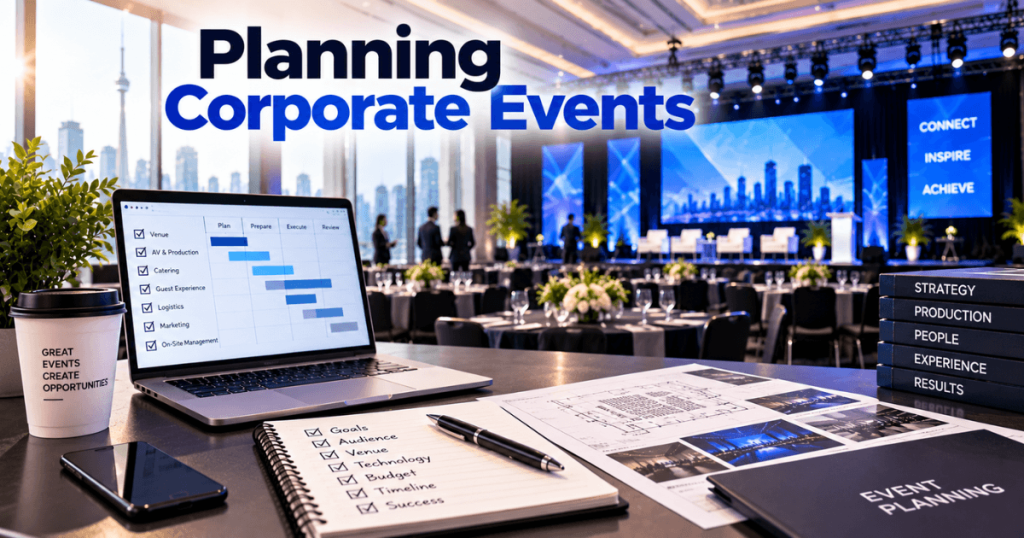
Planning a corporate event in Toronto requires a clear purpose, a suitable venue, reliable audiovisual production, and a schedule that gives every supplier enough time to prepare. Whether you are organizing a leadership conference, company meeting, product launch, awards ceremony, or client event, the experience should support your business goals and make it easy for attendees to engage.
For events using LED screens, early planning is especially important. Audience layout affects screen size, presentation content determines resolution requirements, and venue conditions influence installation, power, and rigging.
Our Toronto LED screen rental team supports corporate events throughout Toronto and the GTA. With 23+ years of event production experience, we plan visual systems around the venue, audience, content, and live program.
This guide explains how to organize a corporate event in Toronto, from defining objectives and choosing a venue to coordinating production and preparing for event day.
What Are the Main Steps in Planning a Corporate Event?
A corporate event plan should connect business objectives with the practical requirements of the event.
The core planning sequence is:
Objectives → Audience → Budget → Venue → Program → Production → Content → Rehearsal → Event Delivery
Start by defining what the event needs to accomplish. Then make decisions about the venue, equipment, and program based on that goal.
Which Corporate Events Are Commonly Held in Toronto?
Corporate events vary in purpose, audience, and technical needs. Define the format before selecting a venue or equipment package.
Corporate Event | Main Planning Priorities |
|---|---|
Annual general meeting | Clear presentations, reliable microphones, audience visibility |
Leadership conference | Keynote stage, breakout rooms, video switching |
Product launch | Branded visuals, demonstrations, lighting, show cues |
Awards ceremony | Stage design, IMAG, presenter audio, video playback |
Client appreciation event | Guest experience, networking, branding |
Training workshop | Readable content, interactive demonstrations |
Hybrid corporate meeting | In-room AV, cameras, streaming, remote participation |
A leadership meeting may need a fine-pitch LED wall for detailed slides. A product launch may benefit from a wider creative display and coordinated lighting.
How Do You Set a Corporate Event Budget?
Build the budget around the complete event, including venue access before and after the live program.
Budget Category | What to Include |
|---|---|
Venue | Room rental, setup access, venue services |
Catering | Food, beverages, service |
Staging | Stage, furniture, scenic elements |
Audio | Microphones, speakers, mixing |
Lighting | Presenter and event lighting |
LED and video | Screens, processors, playback, switching |
Cameras | IMAG, recording, livestreaming if required |
Labour | Installation, operation, rehearsal, removal |
Logistics | Transport, loading, storage |
Content | Presentations, graphics, videos |
Contingency | Allowance for approved changes |
Compare supplier quotes using the same scope. A lower equipment rate may exclude delivery, technical operation, or removal.
How Do You Choose a Corporate Event Venue in Toronto?
Start with audience size, seating style, location, and the program. Then review the venue’s technical capabilities.
A downtown convention space may suit a large conference with breakout sessions. A hotel ballroom may work for a gala or leadership meeting. A smaller dedicated event space may suit a product demonstration or client gathering.
Venue Selection Checklist
Confirm the following before booking:
Capacity for the proposed seating layout
Stage dimensions and audience sightlines
Ceiling height and approved rigging options
Available electrical supply
Loading and freight access
Internet connectivity
Accessibility and attendee transportation
Installation, rehearsal, and removal windows
For example, Metro Toronto Convention Centre publishes planner guidelines covering venue operations and rigging. Review the current documents for the specific venue rather than assuming the same rules apply everywhere.
How Should You Design the Corporate Event Stage?
The stage should support the program without limiting presenter movement or audience visibility.
Consider the position of the lectern, panel furniture, cameras, lighting, and LED wall together.
A large LED backdrop can display branding and presentations, but it may reduce usable stage depth. For a deep audience, screen elevation or side IMAG displays may be more useful than increasing the main wall’s width.
Finalize the stage layout and screen configuration together.
What LED Screen Is Suitable for a Corporate Event?
Choose the display based on viewing distance, content, environment, and available space.
LED Solution | Corporate Event Application |
|---|---|
Fine-pitch indoor LED | Detailed presentations and executive meetings |
Large-format LED wall | General sessions and conferences |
Ultra-wide LED backdrop | Product launches and branded stages |
Side IMAG screens | Large or wide audiences |
Outdoor LED screen | Suitable outdoor corporate events |
Digital signage | Registration, schedules, and wayfinding |
For close-view presentations, P1.9 or P2.6 may be options to evaluate. The appropriate pixel pitch depends on the actual LED product, screen size, and viewing conditions.
How Do You Prepare Corporate Event Presentations?
Presentation content should be designed for the audience rather than the presenter’s laptop.
Use readable text, simple charts, high contrast, and consistent formatting. Avoid placing important information too close to the edges.
For a custom LED wall, confirm the native pixel canvas and aspect ratio before producing graphics.
The video team should test:
PowerPoint and presentation computers
Video playback
Sponsor and brand graphics
Camera feeds, if used
Source switching
Backup content
Do not leave the first complete content test until attendees are entering the room.
How Far in Advance Should You Plan a Corporate Event?
The timeline depends on attendance, venue availability, program complexity, and production scope.
The following is an illustrative planning framework.
Period | Main Activities |
|---|---|
8–12 weeks before | Define goals, audience, budget, and venue shortlist |
4–8 weeks before | Confirm venue, suppliers, stage, and AV design |
2–4 weeks before | Finalize program, equipment, and production schedule |
1–2 weeks before | Prepare content and confirm technical responsibilities |
3–7 days before | Review files, crew, venue access, and rehearsal plan |
Load-in | Install staging, audio, lighting, and LED |
Event day | Test, rehearse, and operate the event |
After event | Remove equipment and complete venue handover |
Larger events or those requiring extensive venue coordination may need more lead time.
Do Corporate Events in Toronto Require Permits?
Requirements depend on the venue, event activities, and whether public property is involved.
For events on public property, the City of Toronto provides a Special Events Permit Navigator to help organizers identify relevant approvals, contacts, deadlines, and fees. Temporary structures and certain other activities may also require review.
For private venues, confirm the facility’s production rules and establish who is responsible for any applicable approvals.
How Do You Coordinate Corporate Event Suppliers?
A corporate event may involve separate suppliers for catering, staging, audio, lighting, LED screens, video production, photography, and event management.
The event organizer should establish one production schedule and identify who is responsible for each task.
Responsibility | Typical Lead |
|---|---|
Overall event management | Event planner or internal event lead |
Venue access and services | Venue coordinator |
Stage and scenic setup | Staging supplier |
Audio and microphones | Audio team |
Lighting | Lighting team |
LED screens and processing | LED supplier |
Cameras and IMAG | Video team |
Presentations and graphics | Content or marketing team |
Live show cues | Show caller or technical director |
These roles can overlap. The important point is that every critical task has an assigned owner.
Hold a Final Production Meeting
Before the event, review the floor plan, delivery schedule, technical requirements, content deadlines, rehearsal, and removal arrangements with all relevant suppliers.
Confirm who can approve last-minute changes and how the team will communicate during the live program.
How Should You Plan Corporate Event Logistics in Toronto?
Logistics can affect the budget and production schedule as much as the equipment itself.
For downtown events, review attendee transportation and supplier access separately. A venue may be convenient for guests but have specific loading or freight procedures.
Key Logistics to Confirm
Attendee arrival and registration
Venue loading and freight access
Equipment delivery windows
Supplier parking and transport
Guest accessibility
Catering and service schedules
Speaker arrival and preparation
Installation and rehearsal access
Equipment removal deadlines
For events with several production departments, coordinate their access to the stage and shared work areas.
Do not assume that venue rental hours automatically include sufficient installation and removal time.
How Do You Create a Corporate Event Run of Show?
A run of show is the detailed sequence of the live event. It tells presenters and technical teams what happens, when it happens, and who is responsible.
For a corporate conference, it may include opening videos, speaker introductions, presentations, panel discussions, breaks, and closing remarks.
Sample Corporate Event Run of Show
Program Segment | Video | Audio | Lighting |
|---|---|---|---|
Guest arrival | Welcome graphics | Background music | Room lighting |
Opening | Opening video | Video audio | Opening cue |
Host introduction | Host graphic or IMAG | Host microphone | Presenter lighting |
Keynote | PowerPoint and IMAG | Presenter microphone | Keynote look |
Panel discussion | Camera views | Panel microphones | Panel lighting |
Break | Sponsor graphics | Background music | Room lighting |
Closing | Closing graphics | Closing audio | Final cue |
This is an illustrative schedule. A working run of show should include actual timings, cue numbers, owners, and any special instructions.
Share the final version with the relevant production team before rehearsal.
What Should Happen During the Technical Rehearsal?
A technical rehearsal verifies that the complete event works as intended.
An LED wall can operate correctly during installation testing but still encounter problems when the team begins switching between presentations, cameras, and videos.
Corporate Event Rehearsal Checklist
Test all presentation computers.
Confirm PowerPoint scaling and readability.
Check video playback and associated audio.
Test microphones and speaker coverage.
Verify camera feeds and IMAG.
Review LED brightness with stage lighting.
Rehearse speaker transitions.
Test remote presenters, if applicable.
Confirm opening and closing cues.
Review backup arrangements for critical systems.
Protect a dedicated rehearsal window. Avoid using the entire available setup period for physical installation.
Who Should Manage the Event on the Day?
The event organizer should appoint a person responsible for overall event delivery.
For a straightforward corporate meeting, this may be an internal event lead working with the AV team. A larger conference or product launch may require a production manager, technical director, and show caller.
Establish Clear Communication
The event-day team should know:
Who approves program changes
Who communicates with speakers
Who calls technical cues
Who operates the LED and video systems
Who manages audio and lighting
Who contacts the venue
Who responds to technical interruptions
For complex events, a dedicated production communication system may help the crew coordinate cues.
How Do You Prepare for Last-Minute Corporate Event Changes?
Corporate programs can change because of speaker availability, revised presentations, delayed arrivals, or updated business announcements.
The production plan should allow controlled changes without disrupting the entire show.
Potential Change | Preparation |
|---|---|
Updated PowerPoint | Set a final file handover process |
Speaker substitution | Prepare alternate introduction graphics |
Program running late | Identify adjustable segments |
Video playback issue | Keep a tested backup file |
Laptop failure | Prepare a backup presentation source |
Microphone problem | Have an appropriate spare available |
Remote speaker issue | Agree on a fallback program option |
Not every event needs extensive redundancy. The backup plan should reflect the importance of each system and the consequences of an interruption.
How Can You Improve the Corporate Event Attendee Experience?
A technically successful event should also be comfortable and easy to follow.
Make Presentations Readable
Choose an appropriate LED screen size and pixel pitch. Use clear slides with readable fonts and high contrast.
Prioritize Speech Clarity
Ensure microphones and speakers provide consistent coverage throughout the audience area.
Reduce Unnecessary Delays
Prepare presentation sources and media before each program segment. Rehearse transitions between speakers.
Use Screens With a Clear Purpose
A main LED wall may support presentations, while side IMAG screens help attendees see presenters in a large room.
Registration and wayfinding displays can provide useful information in other areas.
Balance Visuals and Lighting
Coordinate LED brightness, stage lighting, and camera settings so that presenters remain visible both in the room and on camera.
What Are Common Corporate Event Planning Mistakes?
Mistake | Potential Problem | How to Avoid It |
|---|---|---|
Booking before reviewing technical needs | Venue may not support the intended setup | Review the production requirements early |
Choosing LED by price alone | Essential services may be excluded | Compare complete rental packages |
Ignoring audience sightlines | Attendees cannot see content clearly | Review seating and screen elevation |
Preparing content late | Scaling or playback issues | Set file deadlines |
Underestimating load-in time | Delayed technical testing | Build a realistic schedule |
Unclear supplier responsibilities | Tasks may be missed | Assign owners |
Skipping rehearsal | Show cues may fail | Test the actual program |
No removal plan | Venue handover delays | Confirm strike requirements |
For more detailed technical guidance, related resources include Common LED Screen Mistakes Event Planners Make, LED Screen Setup Timeline for Conferences, and How to Choose the Right LED Screen.
Corporate Event Planning Checklist for Toronto
Use this checklist to review your event before confirming the final production plan.
Event readiness
Frequently Asked Questions About Planning Corporate Events in Toronto
1. How far in advance should I plan a corporate event in Toronto?
Begin once the event objectives, date, audience, and budget are reasonably clear. A straightforward meeting may need several weeks of planning, while a large conference or product launch may require months.
2. What should be included in a corporate event budget?
Include the venue, catering, staging, audio, lighting, LED screens, video, labour, logistics, content, and an appropriate contingency allowance. Confirm whether supplier quotes cover installation, operation, and removal.
3. What types of venues work for corporate events in Toronto?
Options include convention centres, hotel ballrooms, meeting facilities, theatres, and dedicated event spaces. Choose according to attendance, program, location, and technical requirements.
4. Do I need an LED screen for a corporate event?
Not necessarily. LED screens can be useful for large audiences, detailed presentations, branded backdrops, product demonstrations, and IMAG. The display should match the room and content.
5. What pixel pitch is suitable for corporate presentations?
Fine-pitch options such as P1.9 or P2.6 may suit close-view indoor presentations. The final choice depends on viewing distance, screen dimensions, and the specific LED product.
6. Should a corporate conference use side IMAG screens?
Side IMAG screens may help attendees see presenters in wide or deep rooms. Whether they are needed depends on audience layout, main-screen position, and viewing distance.
7. How much time should I allow for event setup?
Setup time varies with the venue and production complexity. A simple system may take several hours, while a large multi-screen production may need a full load-in day or more. Allow separate time for testing and rehearsal.
8. Who should manage the technical production?
Assign a clearly identified production lead. Larger events may need a technical director, show caller, and department operators. Responsibilities should be confirmed before event day.
9. What is the difference between technical testing and rehearsal?
Technical testing verifies individual systems and connections. Rehearsal checks how those systems work together during the actual program, including speaker transitions, media playback, and show cues.
10. What information should I provide when requesting an LED rental quote?
Share the venue, room, event date, attendance, audience layout, proposed screen dimensions, content requirements, installation schedule, and any camera or livestreaming needs.
Why Choose Our Toronto LED Screen Rental Team?
Corporate event displays must work with the venue, audience, stage design, content, and live program.
Our Toronto LED screen rental capabilities include:
Fine-pitch indoor LED video walls
Large-format conference displays
Ultra-wide and creative LED configurations
Outdoor LED screens
Mobile LED trailers
Ground-supported LED systems
Rigging coordination for flown displays
Video processing and presentation switching
Cameras and IMAG
Media playback and signal distribution
Installation, testing, and removal
Live technical operation
With 23+ years of event production experience, we support corporate conferences, annual meetings, product launches, awards ceremonies, leadership summits, and other business events throughout Toronto and the GTA.
A successful corporate event depends on clear objectives, a suitable venue, coordinated suppliers, prepared content, and a tested production plan. When these elements are aligned, the technical systems can support the program without distracting from the event’s purpose.