
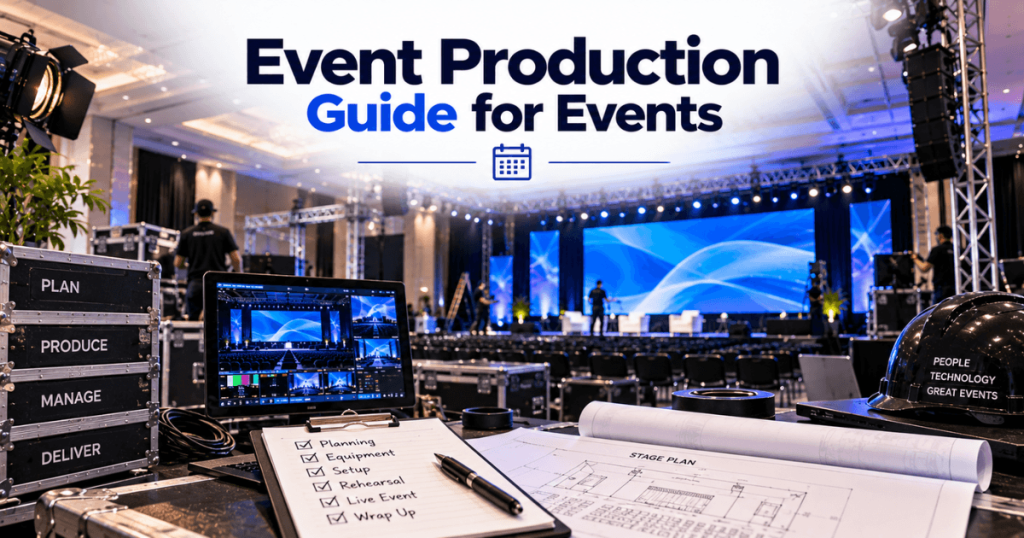
Planning an event in Toronto involves more than booking a venue and arranging equipment. A successful conference, trade show, product launch, gala, or corporate meeting needs a coordinated plan for the audience, venue, staging, audio, lighting, video, content, and event-day operations.
For events using LED screens, those decisions are closely connected. The stage layout affects screen placement, audience viewing distances influence screen size and pixel pitch, and the production schedule determines how much time is available for installation and rehearsal.
Our Toronto LED screen rental team supports corporate and live events throughout Toronto and the GTA. With 23+ years of event production experience, we plan visual systems around the complete event—not just the LED equipment.
This guide covers the key stages of event production in Toronto, practical AV planning, and the decisions organizers should make before event day.
What Is Event Production?
Event production is the technical and operational process of turning an event plan into a live experience. It connects the event’s creative goals with the people, equipment, venue, and schedule needed to deliver them.
Depending on the event, production may include:
Stage and scenic design
Audio systems and microphones
Lighting
LED screens and video projection
Cameras and IMAG
Presentation switching and media playback
Livestreaming and recording
Power and signal distribution
Technical crew
Rehearsals and show operation
Not every event needs every service. The production scope should match the audience, program, venue, and budget.
Which Event Types Need Different Production Plans?
Each event format has different priorities. The equipment package should follow the program rather than a standard checklist.
Event Type | Main Production Priorities |
|---|---|
Corporate conference | Presentation clarity, microphones, switching, IMAG |
Trade show | Booth displays, power, signage, exhibitor logistics |
Product launch | Branded visuals, lighting, video playback, show cues |
Gala or awards ceremony | Stage design, presenter audio, lighting, camera coverage |
Concert or festival | Performance audio, large displays, outdoor considerations |
Hybrid event | In-room AV, cameras, streaming, remote participation |
A conference may need one fine-pitch LED wall and reliable presentation switching. A large product launch may require a custom display canvas, synchronized playback, and more extensive rehearsals.
How Do You Choose an Event Venue in Toronto?
Start with the event’s attendance, program, and production needs. Then compare venues based on their actual room layouts and operating requirements.
Toronto offers convention centres, exhibition facilities, hotels, theatres, and outdoor event spaces. For example, the Metro Toronto Convention Centre provides exhibition halls and meeting rooms, while Exhibition Place supports trade shows, conferences, and other large events.
What Should You Confirm Before Booking?
Venue Requirement | Why It Matters |
|---|---|
Room dimensions | Determines stage and display placement |
Audience layout | Affects sightlines and speaker coverage |
Ceiling height | Influences lighting and screen elevation |
Rigging options | Determines whether equipment can be flown |
Electrical supply | Supports LED, audio, lighting, and video |
Loading access | Affects delivery and installation time |
Internet connectivity | Important for streaming and connected demonstrations |
Rehearsal access | Allows the complete show to be tested |
Strike deadline | Determines removal and labour scheduling |
Request current venue documents before finalizing the technical design. MTCC, for example, publishes operating guidelines, rigging policies, and planner forms.
How Should You Plan the Event Stage?
The stage should support both the presenters and the audience’s viewing experience.
Consider:
Stage width and depth
Presenter movement
Lectern and furniture placement
LED wall dimensions
Camera positions
Lighting angles
Microphone requirements
Accessible stage access
An oversized LED backdrop may reduce usable stage space. A screen positioned too low may be blocked by presenters or furniture.
Finalize the stage and display layout together rather than treating them as separate decisions.
What LED Screen Is Suitable for Your Event?
Choose the LED display based on its environment, viewing distances, content, and installation requirements.
LED Solution | Applications to Consider |
|---|---|
Fine-pitch indoor LED | Conferences and detailed presentations |
Large-format LED wall | General sessions and product launches |
Outdoor LED screen | Festivals and outdoor events |
Mobile LED trailer | Suitable outdoor events requiring a mobile display |
Creative LED configuration | Branded backdrops and custom visual layouts |
Side IMAG screens | Wide or deep audiences |
For close-view indoor presentations, options such as P1.9 or P2.6 may be worth evaluating. For larger displays viewed from farther away, a wider pixel pitch may be appropriate.
The final specification should account for both the closest viewer and the farthest important viewing position.
How Do Audio, Lighting, and Video Work Together?
These systems should be designed as one production.
Audio must provide clear speech or performance sound throughout the audience area.
Lighting must illuminate presenters and create the intended stage appearance without compromising screen visibility.
Video must deliver the correct content to the LED wall, confidence monitors, IMAG screens, and livestream where applicable.
For camera-based events, lighting and LED brightness should be tested together. A screen that looks balanced to the audience may require adjustment for camera exposure.
What Is a Practical Event Production Timeline?
The schedule below is an illustrative planning framework. Actual lead times depend on event scale, venue requirements, and supplier availability.
Period | Main Tasks |
|---|---|
8–12 weeks before | Define event scope, budget, and venue requirements |
4–8 weeks before | Develop stage and AV design; confirm major suppliers |
2–4 weeks before | Finalize equipment, production schedule, and content specifications |
1–2 weeks before | Confirm crew, access, presentation sources, and rehearsals |
Load-in | Install staging, audio, lighting, and video systems |
Testing | Check every source and technical workflow |
Rehearsal | Run the actual show sequence |
Event day | Complete final checks and operate the production |
Strike | Remove equipment and hand over the venue |
For large exhibitions, planning may begin much earlier. Exhibition Place’s organizer guidance includes milestones extending up to 12 months before an event.
What Toronto-Specific Approvals Should Event Planners Review?
Approval requirements depend on the event location, structures, activities, and use of public property.
For events on public property, the City of Toronto provides a Special Events Permit Navigator to help organizers identify applicable permits, approvals, contacts, and deadlines.
Large temporary structures, stages, and certain installations may also require a review of building-permit and engineering requirements.
For private venues, review the facility’s own production policies in addition to any applicable municipal requirements. Do not assume approval at one venue applies to another.
How Should You Build an Event Production Budget?
Start with the event’s requirements, then request supplier quotes based on the same scope. Comparing equipment-only pricing with a fully installed and operated package can lead to an inaccurate budget.
Budget Category | What to Include |
|---|---|
Venue | Room rental, access periods, venue services |
Staging and scenic | Stage, backdrop, furniture, scenic elements |
Audio | Speakers, microphones, mixing, monitoring |
Lighting | Fixtures, control, installation, operation |
LED and video | Screens, processors, switching, playback |
Cameras | IMAG, recording, livestreaming, operators |
Power | Electrical distribution and applicable venue services |
Labour | Installation, technical crew, rehearsal, strike |
Logistics | Delivery, loading, storage, transportation |
Content | Presentation design, graphics, video production |
Contingency | Allowance for approved changes and unforeseen costs |
How Much Contingency Should You Include?
The appropriate contingency depends on the event’s complexity and how much of the scope remains uncertain. A preliminary allowance of 5–15% may be useful for budgeting, but it is not a universal requirement.
Review contingency separately from the base production cost. This helps organizers understand what has been quoted and what remains an allowance.
How Do You Coordinate Multiple Event Production Suppliers?
A Toronto conference may involve separate companies for staging, audio, lighting, LED screens, cameras, and livestreaming.
Each supplier needs to understand how its work affects the others.
For example, the stage must be ready before some ground-supported LED installations can begin. Lighting positions may depend on the LED wall’s height, while camera operators need to know where presenters will stand.
Create a Production Responsibility Matrix
Responsibility | Typical Lead |
|---|---|
Overall event schedule | Event producer |
Venue access and rules | Venue coordinator |
Stage and scenic design | Staging supplier |
LED installation | LED supplier |
Audio system | Audio supplier |
Lighting system | Lighting supplier |
Video switching and playback | Video team |
Cameras and IMAG | Camera/video team |
Show cues | Show caller or technical director |
These are illustrative assignments. One supplier may handle several functions, but every responsibility should have a clearly identified owner.
What Is a Production Schedule or Run of Show?
A production schedule covers equipment delivery, installation, testing, rehearsal, live operation, and removal.
A run of show is more detailed. It describes the sequence of the live program and identifies the cues that each department must execute.
For a corporate conference, the run of show might include:
Program Cue | Video | Audio | Lighting |
|---|---|---|---|
Doors open | Welcome graphics | Background music | Room look |
Opening | Opening video | Video audio | Opening cue |
Host introduction | Host graphic or IMAG | Host microphone | Presenter look |
Keynote | Slides and IMAG | Presenter microphone | Keynote look |
Panel discussion | Camera views | Panel microphones | Panel look |
Closing | Closing graphics | Closing audio | Final cue |
The actual document should also identify cue owners, timings, and any special instructions.
Every critical cue should be tested during rehearsal.
Who Should Manage Event-Day Production?
A designated event producer, production manager, or technical director should coordinate the technical departments.
The exact structure depends on the event’s size.
For a straightforward meeting, one person may manage the show and coordinate with a small AV team. A large convention may require separate department leads and a dedicated show caller.
The event-day team should know:
Who approves program changes
Who communicates with presenters
Who calls technical cues
Who operates each system
Who contacts the venue
Who makes decisions during a technical interruption
Clear responsibilities reduce confusion when the program changes.
What Should Happen During the Technical Rehearsal?
The technical rehearsal verifies the complete production using the actual equipment and show content.
It should test more than whether the LED wall, speakers, and lights turn on.
Conference Rehearsal Checklist
Confirm all microphones and audio sources.
Test every presentation computer.
Verify video playback and associated audio.
Check LED screen scaling and content layouts.
Test camera feeds and IMAG switching.
Review stage lighting and camera exposure.
Rehearse presenter transitions.
Test remote speakers, where applicable.
Confirm opening and closing cues.
Review backup procedures for critical systems.
A full rehearsal may reveal issues that individual equipment tests cannot identify.
How Do You Plan for Technical Problems During an Event?
Contingency planning should focus on the systems most important to the event.
A simple meeting and a livestreamed international conference do not require identical backup arrangements.
Potential Problem | Planning Measure |
|---|---|
Presentation laptop failure | Prepare a tested backup source |
Video playback issue | Keep verified backup media |
Microphone problem | Have an appropriate spare available |
Signal interruption | Review backup routing where required |
Internet interruption | Confirm connectivity requirements and alternatives |
Content error | Establish a controlled file-update process |
Program delay | Identify who can approve schedule changes |
Not every risk can be eliminated. The goal is to identify likely points of failure and establish practical responses before the audience arrives.
What Are Common Event Production Mistakes?
Choosing Equipment Before Defining the Event
A large LED wall or extensive lighting package may look appealing, but the production should follow the event’s purpose, audience, and content.
Underestimating Venue Logistics
Loading docks, freight elevators, access restrictions, and removal deadlines can affect both cost and schedule.
Leaving Content Until the Last Minute
Late PowerPoint files, videos, and graphics may not leave enough time for formatting and testing.
Ignoring Audience Sightlines
A screen that fits the stage may still be difficult to see from the back or sides of the room.
Not Assigning Technical Responsibilities
When several suppliers assume someone else is handling a task, important work may be missed.
Skipping Rehearsal
Individual systems may function correctly but fail to work together during the actual program.
For further technical planning, related resources include Common LED Screen Mistakes Event Planners Make, LED Screen Setup Timeline for Conferences, and How to Choose the Right LED Screen.
How Do You Plan Event Production for Different Toronto Venues?
Different venue environments require different approaches.
Venue Environment | Production Considerations |
|---|---|
Convention centre | Loading schedules, exhibitor rules, large-room sightlines |
Hotel ballroom | Stage footprint, ceiling height, access windows |
Theatre | Existing stage systems, venue technical policies |
Outdoor event site | Weather, power, structural requirements |
Exhibition booth | Approved booth dimensions, height and electrical rules |
Corporate office | Access, available power, room layout, noise restrictions |
For example, a convention centre general session may require a large LED wall and side IMAG screens. A hotel meeting may work with a smaller fine-pitch display and a simpler presentation system.
The production plan should be based on the assigned room and current venue requirements—not only the venue’s overall capacity.
Final Event Production Checklist for Toronto
Use this checklist before confirming the event’s technical plan.
Production readiness
Frequently Asked Questions About Event Production in Toronto
1. What does an event production company do?
An event production company coordinates technical elements such as staging, audio, lighting, video, LED screens, installation, rehearsals, and live operation. The exact services depend on the supplier and event scope.
2. How early should I start planning event production?
Begin once the event’s venue, dates, audience, and main requirements are reasonably clear. Complex conferences, trade shows, and outdoor events may need months of planning, while smaller meetings may require less lead time.
3. How much does event production cost in Toronto?
Cost depends on venue requirements, equipment, labour, rental duration, content, and logistics. Request an itemized quote for the complete production rather than relying on a generic event price.
4. Do I need an LED screen for a corporate event?
Not every event needs one. LED may be useful for large audiences, branded backdrops, presentations, IMAG, and custom visual layouts. The decision should follow the room, content, and budget.
5. What is the difference between event planning and event production?
Event planning typically covers the broader event program and logistics. Event production focuses on delivering the technical and live-show elements. The responsibilities can overlap.
6. Can an event production team handle livestreaming?
Some production teams provide livestreaming, recording, cameras, and video switching. Confirm these services in the quote, including internet requirements and technical responsibilities.
7. How long does event equipment installation take?
Installation time depends on the equipment, venue access, crew, and production complexity. A straightforward setup may take several hours; larger productions may need a full load-in day or more.
8. Who is responsible for venue permits and approvals?
Responsibility depends on the venue, event, and contractual arrangements. Organizers should establish who will obtain applicable approvals and confirm that suppliers meet relevant venue and installation requirements.
9. Why is a technical rehearsal important?
It verifies that presentation sources, audio, lighting, video, cameras, and show cues work together before the live program begins.
10. What should I provide when requesting an event production quote?
Share the event date, venue, room, attendance, schedule, stage requirements, AV needs, content, camera or streaming requirements, and available installation and removal windows.
Why Choose Our Toronto LED Screen Rental Team?
Visual production is a central part of many corporate events, conferences, trade shows, and live programs. The LED system needs to work with the stage, content, cameras, lighting, and show schedule.
Our Toronto LED screen rental capabilities include:
Fine-pitch indoor LED video walls
Large-format event displays
Outdoor LED screens
Mobile LED trailers
Ground-supported LED systems
Rigging coordination for flown displays
Video processing and presentation switching
Cameras and IMAG
Media playback and signal distribution
Installation, testing, and removal
Live technical operation
With 23+ years of event production experience, we support events throughout Toronto and the GTA.
A reliable event production plan connects the venue, audience, equipment, content, crew, and schedule. Coordinating those elements early helps the technical team prepare a system that supports the event from rehearsal through the final cue.