
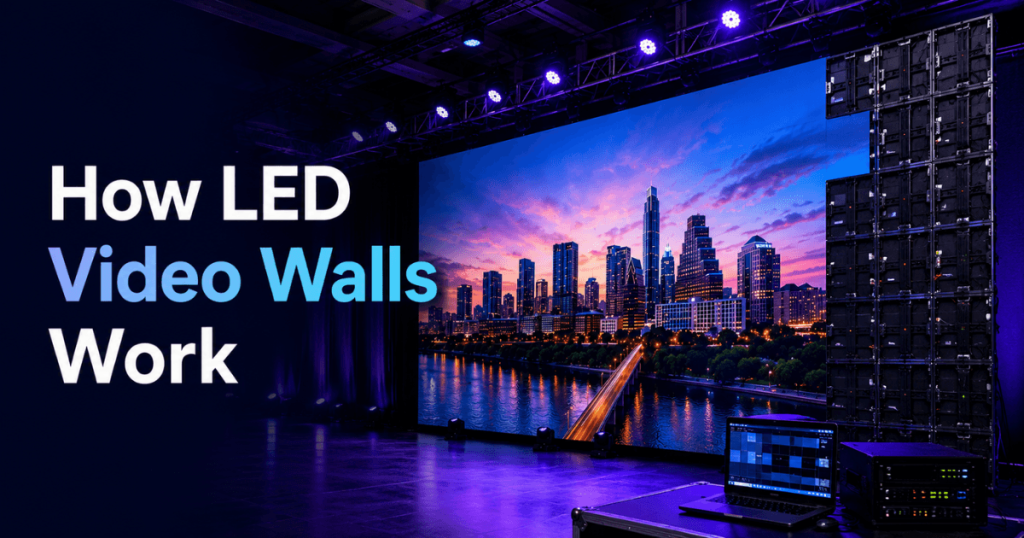
LED video walls work by combining multiple modular LED panels or cabinets into one large, seamless digital display. Each panel contains thousands of tiny light-emitting diodes that create the red, green, and blue light needed to produce full-colour images. A video processor receives content from sources such as laptops, media servers, cameras, or presentation switchers and maps that content across the complete LED wall.
Unlike projection systems, LED video walls generate their own light. This allows them to deliver high brightness, strong contrast, flexible screen dimensions, and large-format visuals without requiring a projector positioned in front of or behind the screen.
For events, however, the LED panels are only one part of the system. A professional video wall also requires processing, power, data distribution, content management, structural support, signal routing, installation, testing, and technical operation.
Our Toronto LED screen rental team provides LED video wall systems for conferences, corporate events, trade shows, exhibitions, product launches, concerts, award ceremonies, weddings, galas, and other events across Toronto and the GTA. With 23+ years of event production experience, we configure the complete display system around the venue, audience, content, cameras, stage, and production requirements.
This guide explains how LED video walls work—from individual pixels and LED modules to video processors, signal distribution, content playback, and the final image seen by the audience.
What Is an LED Video Wall?
An LED video wall is a large digital display constructed from multiple LED modules, panels, or cabinets connected together.
Instead of using one fixed-size television panel, modular LED technology allows a production team to build screens in different dimensions.
A video wall may be configured as:
A standard 16:9 presentation screen
A wide conference backdrop
A large stage display
Multiple separate LED screens
A trade show booth wall
A scenic LED installation
A custom creative display
Once assembled and correctly configured, the individual sections work together as one visual canvas.
The audience sees a complete image rather than separate pieces of content on each cabinet.
What Are the Main Parts of an LED Video Wall?
A professional LED wall consists of several connected systems.
The main components include:
LED pixels
LED modules
LED cabinets or panels
Receiving electronics
Power distribution
Data connections
Video processors
Content sources
Switching and playback systems
Structural support
Each component performs a different job.
Understanding these components makes it easier to understand how a laptop, presentation, video, or camera feed eventually becomes a large image on an event stage.
How Do LED Pixels Create an Image?
The smallest visible building block of an LED display is the pixel.
LED displays create colour by controlling combinations of red, green, and blue light. By changing the intensity of these colours, the system can reproduce a wide range of colours and brightness levels.
Thousands—or potentially millions—of pixels operate together across a complete video wall.
From close range, viewers may be able to see the individual LED structure, particularly on a larger-pitch display.
As the viewer moves farther away, those individual pixels visually blend together and the audience perceives a continuous image.
This relationship between the physical pixels and audience distance is why pixel pitch is such an important LED specification.
What Is Pixel Pitch and Why Does It Matter?
Pixel pitch is the approximate distance between neighbouring pixels, normally measured in millimetres.
Common event LED specifications may include:
P1.9
P2
P2.5
P2.6
P2.9
P3.9
A smaller pixel-pitch number means the pixels are positioned closer together.
For example, a P2 LED wall has tighter pixel spacing than a P3.9 LED wall.
This generally means P2 can provide greater pixel density within the same physical display area.
Fine-pitch LED can therefore be useful for:
Close audience viewing
PowerPoint presentations
Detailed graphics
Financial information
Software demonstrations
Product imagery
Technical presentations
Larger pixel pitches can work effectively for large displays where the audience is positioned farther away.
The correct pixel pitch depends on viewing distance, screen dimensions, content, cameras, event type, and budget.
What Is an LED Module?
LED pixels are arranged together on electronic boards commonly referred to as LED modules.
These modules contain the LEDs and supporting electronics needed to produce part of the overall image.
Multiple modules are then installed within a larger cabinet or panel.
The modular design is important because event LED screens need to be transported, installed, configured, serviced, and removed efficiently.
Instead of transporting one enormous screen, the production team transports manageable sections and assembles them at the venue.
What Is an LED Cabinet or Panel?
An LED cabinet is one of the main physical building blocks used to construct a video wall.
Each cabinet contains multiple LED modules along with supporting electronics, connections, and mechanical hardware.
During installation, cabinets are connected horizontally and vertically.
For example, a production team may build:
A smaller presentation screen
A wide keynote backdrop
Two side screens
A large concert display
A custom trade show wall
The exact dimensions depend on the LED product’s cabinet size and the number of cabinets used.
Once the cabinets are aligned and calibrated correctly, their borders should not create the visible bezels associated with conventional multi-monitor video walls.
This is one reason modular LED is useful for large-format event displays.
How Are LED Panels Connected Together?
LED cabinets are mechanically connected to create the required physical screen.
The production team must maintain accurate alignment across the display.
Poor alignment can create visible irregularities between panels.
The installation process therefore involves more than simply placing cabinets beside each other.
Technicians need to check:
Physical alignment
Panel connection
Data connections
Power distribution
Structural support
Screen mapping
Image consistency
After the physical wall is assembled, the electronics and processing system are configured so the complete collection of panels operates as one display.
How Does the Video Signal Reach the LED Wall?
Content normally begins at a source device.
Sources can include:
Presentation laptops
Playback computers
Media servers
Cameras
Video switchers
Streaming systems
Digital signage players
Other professional video sources
The signal then passes through the event’s video-production system.
A simplified workflow looks like this:
Content Source → Presentation/Video System → LED Processor → Data Distribution → LED Panels → Audience
For a basic event, this workflow may be relatively simple.
For a large conference or live production, multiple laptops, cameras, playback systems, and remote feeds may need to be managed simultaneously.
What Does an LED Video Processor Do?
The video processor is one of the most important parts of an LED wall system.
Its job is to take an incoming video signal and configure it for the actual LED display.
Because modular LED walls can be built in many dimensions, their native pixel canvas may not match a standard television resolution.
The processor helps manage functions such as:
Input signal handling
Image scaling
Screen mapping
Output configuration
Canvas positioning
Display synchronization
Image adjustments
For example, an event may use a very wide LED wall rather than a standard 16:9 display.
The processor helps map the content correctly across that custom LED canvas.
Without proper processing and configuration, even premium LED panels may not display content correctly.
Why Doesn’t an LED Wall Always Have a Standard 1080p or 4K Resolution?
Traditional televisions are manufactured with fixed pixel dimensions.
Event LED video walls are different because they are assembled from modular panels.
The final resolution depends on:
Pixel pitch + panel resolution + number of panels + final screen dimensions.
This means an LED wall might have a custom native resolution rather than exactly:
1920 × 1080
3840 × 2160
That is completely normal.
The important consideration is whether the final LED canvas provides appropriate resolution for its physical size and viewing distance.
Content can then be prepared and processed to match that canvas.
How Is Content Mapped Across an LED Video Wall?
After the physical screen is constructed, technicians configure how the processor addresses the LED panels.
The system needs to understand where each section of the display is located.
For example, if a wall contains several cabinets across and several cabinets high, the processor needs to map the video signal across that complete arrangement in the correct order.
This process is often referred to as screen mapping or LED mapping.
Correct mapping ensures that the upper-left part of the content appears in the upper-left part of the physical display and that the rest of the image continues correctly across the wall.
Incorrect mapping can cause portions of the image to appear in the wrong location.
How Do Power and Data Work on an LED Video Wall?
An LED wall needs both electrical power and video/data distribution.
These are separate requirements.
Power
Electrical power operates the LED panels and supporting electronics.
The total requirement depends on factors such as:
LED product
Screen dimensions
Display brightness
System configuration
Power planning should be handled by qualified event-production and electrical professionals according to venue requirements.
Data
Data connections carry the information required for each LED panel to display its portion of the overall image.
The data system connects the LED processing/control equipment to the cabinets across the display.
Both systems must be planned correctly for reliable operation.
How Does a Laptop Display PowerPoint on an LED Wall?
For a conference, the workflow may begin with a presentation laptop.
A simplified signal path could be:
Laptop → Presentation Switcher → LED Video Processor → LED Wall
The presentation switcher allows technicians to manage multiple presentation sources without interrupting the audience experience.
For example, an event may use:
Main presentation laptop
Backup laptop
Video playback computer
Remote presentation source
Event graphics system
The switcher allows the production team to select which source appears on the LED wall.
The processor then maps that selected output to the physical LED canvas.
How Do Live Cameras Appear on an LED Video Wall?
Large events often use Image Magnification (IMAG) so attendees farther from the stage can see speakers, presenters, or performers.
A simplified camera workflow is:
Camera → Video Switcher → LED Processor → LED Wall
For multi-camera events, several cameras can feed the video switcher.
A technical director or video operator can then select between:
Wide stage shot
Presenter close-up
Panel discussion
Audience shot
Presentation content
Pre-recorded video
The selected program output is sent to the LED processing system and displayed on the wall.
This is common for conferences, award ceremonies, concerts, corporate meetings, and other large productions.
Can an LED Wall Show PowerPoint and Cameras at the Same Time?
Yes.
With appropriate processing and switching, a video wall can be designed to show multiple visual elements simultaneously.
For example, a wide conference LED wall might display:
PowerPoint presentation in the centre
Speaker camera feed on one side
Event branding on the other side
Another layout might combine:
Two camera feeds
Presentation slides
Sponsor graphics
Speaker information
These layouts require planning because the LED canvas dimensions and content design need to work together.
The production team should determine these layouts before the event rather than improvising them during the live program.
What Is a Media Server?
A media server or dedicated playback system can be used to manage more complex visual content.
Depending on the production, it may handle:
Video playback
Motion graphics
Large-format content
Custom LED canvases
Multiple display outputs
Synchronized visuals
Event branding
Media servers are particularly useful for:
Product launches
Concerts
Fashion shows
Award ceremonies
Experiential events
Creative LED installations
A standard corporate conference may not require the same media-server workflow as a complex entertainment production.
The technology should match the actual event.
How Do LED Walls Produce Seamless Large Images?
Modular LED cabinets are designed to connect with minimal visible separation when installed correctly.
Unlike LCD video walls, there are no traditional monitor bezels dividing the image into obvious rectangles.
Instead, LED modules continue visually across adjoining cabinets.
Achieving a clean result depends on:
Accurate panel alignment
Consistent LED modules
Correct calibration
Proper processing
Stable structural support
Professional installation
This modular construction allows LED walls to scale beyond conventional television sizes while maintaining the appearance of one continuous display.
How Are LED Video Walls Supported?
Event LED walls require an appropriate structural system.
Two common approaches are ground-supported and venue-approved rigged configurations.
Ground-Supported LED Walls
A ground-supported system supports the display from the stage or floor using appropriate professional structures.
It can be useful for:
Conferences
Trade shows
Corporate meetings
Product launches
Hotel events
Rigged LED Walls
Some event designs call for the LED wall to be suspended using an approved professional rigging system.
This may help:
Raise the display
Improve sightlines
Preserve stage space
Create larger scenic designs
Rigging depends on venue approvals, structural requirements, equipment weight, approved points, and qualified professionals.
It should never be treated as a generic DIY installation process.
How Do Indoor and Outdoor LED Video Walls Differ?
The basic operating principle is similar, but indoor and outdoor event displays have different requirements.
Indoor LED walls generally prioritize:
Fine pixel pitch
Close viewing
Controlled brightness
Detailed presentations
Camera integration
Outdoor LED systems may require additional consideration for:
Higher brightness
Weather exposure
Environmental protection
Structural requirements
Wind
Outdoor power
Longer viewing distances
Pixel pitch alone does not determine whether an LED panel is suitable for outdoor use.
The actual product specifications and environmental rating must be considered.
How Does Brightness Work on an LED Wall?
LED displays produce their own light.
This is fundamentally different from projection, where light from a projector must travel to a separate screen surface.
Because LEDs emit light directly, brightness can be controlled electronically within the operating range of the display.
The appropriate brightness depends on:
Indoor or outdoor environment
Ambient lighting
Stage lighting
Cameras
Audience distance
Content
An indoor LED wall does not necessarily need to operate at maximum brightness.
Excessive brightness can be uncomfortable for nearby viewers and can complicate camera exposure.
Professional setup aims for balanced visibility rather than simply maximizing brightness.
Why Do LED Video Walls Work Well for Events?
LED walls provide several advantages for event production.
They can offer:
Modular screen dimensions
Large-format visuals
Strong brightness
High contrast
Close-view fine-pitch options
Seamless-looking display surfaces
Camera integration
Flexible content layouts
Indoor and outdoor configurations
Creative display possibilities
They can also support multiple event applications within the same production.
A conference LED wall might display presentation slides in the morning, panel-discussion IMAG in the afternoon, and branded video during an evening awards program.
How We Configure an LED Video Wall for an Event
Our planning process starts before the panels arrive at the venue.
1. Review the Event
We determine what the display needs to accomplish.
2. Review the Venue
Room dimensions, stage space, audience layout, access, and installation requirements are considered.
3. Determine Screen Size
The display should be large enough for both the closest and farthest audience positions.
4. Select Pixel Pitch
Pixel density is matched to viewing distance and content detail.
5. Plan the Support System
Ground support or venue-approved rigging is coordinated according to the production requirements.
6. Design the Video System
Processors, switchers, playback systems, cameras, and signal routing are planned.
7. Install and Configure the Display
LED cabinets are assembled, connected, mapped, and tested.
8. Test Content
Presentations, videos, graphics, and camera layouts are checked before the live program.
9. Operate the System
For events requiring live support, technicians manage the display and supporting video workflow throughout the production.
Common Misunderstandings About How LED Video Walls Work
An LED Wall Is Just a Large TV
It is not. Event LED walls are modular systems requiring processing, data distribution, power, structural support, configuration, and professional installation.
Every LED Wall Is 4K
Not necessarily. Native resolution depends on pixel pitch and physical screen dimensions.
Smaller Pixel Pitch Is Always Better
No. Pixel pitch should match viewing distance, content, screen size, and budget.
Any Video Can Simply Be Stretched Across the Wall
Technically content can be scaled, but poor source resolution or incorrect aspect ratios can reduce visual quality.
LED Screens Do Not Need Video Processing
Professional modular LED systems require appropriate control and processing to map content to the display.
A Good LED Panel Guarantees a Good Image
Panel quality matters, but so do processing, content, calibration, installation, cameras, and signal quality.
Part 1 Summary: How LED Video Walls Work
An LED video wall works by combining LED pixels into modules, modules into cabinets, and cabinets into a complete modular display.
Content starts with sources such as laptops, cameras, media servers, or playback computers. Video switching and processing manage those sources before the signal is distributed across the LED panels.
The complete workflow can be summarized as:
Content → Switching/Playback → Video Processing → Data Distribution → LED Cabinets → Audience
Pixel pitch determines pixel spacing. Screen dimensions determine the physical display size. The processor maps content to the LED canvas. Power and data systems keep the panels operating, while professional support structures hold the screen safely in position.
For event production, all of these components need to work together.
How Is LED Video Wall Resolution Calculated?
With 23+ years of event production experience, we plan the LED wall as part of the complete event-production system.
From the first source signal to the final pixels seen by the audience, every component needs to work together. That is ultimately how a professional LED video wall works: modular LED hardware, processing, content, power, data, structural support, and live production technology operating as one coordinated visual system.