
LED Viewing Distance Guide
We provide professional LED Screen Rental Services in Toronto and across the GTA for conferences, corporate events, trade shows, exhibitions, product launches, galas, sporting events, festivals, weddings, and live productions. With 23+ years of event production experience, we select LED displays around the actual audience rather than choosing screen specifications from pixel pitch alone.
Our capabilities include fine-pitch indoor LED walls, outdoor LED displays, Mobile LED Trailers, Kinetic Video Walls, Sphere LED Walls, LED posters, interactive kiosks, video processing, cameras, IMAG, presentation switching, media servers, audio, lighting, and live streaming. Correct LED viewing distance depends on pixel pitch, physical screen size, content detail, native resolution, audience layout, and the closest and farthest viewing positions.
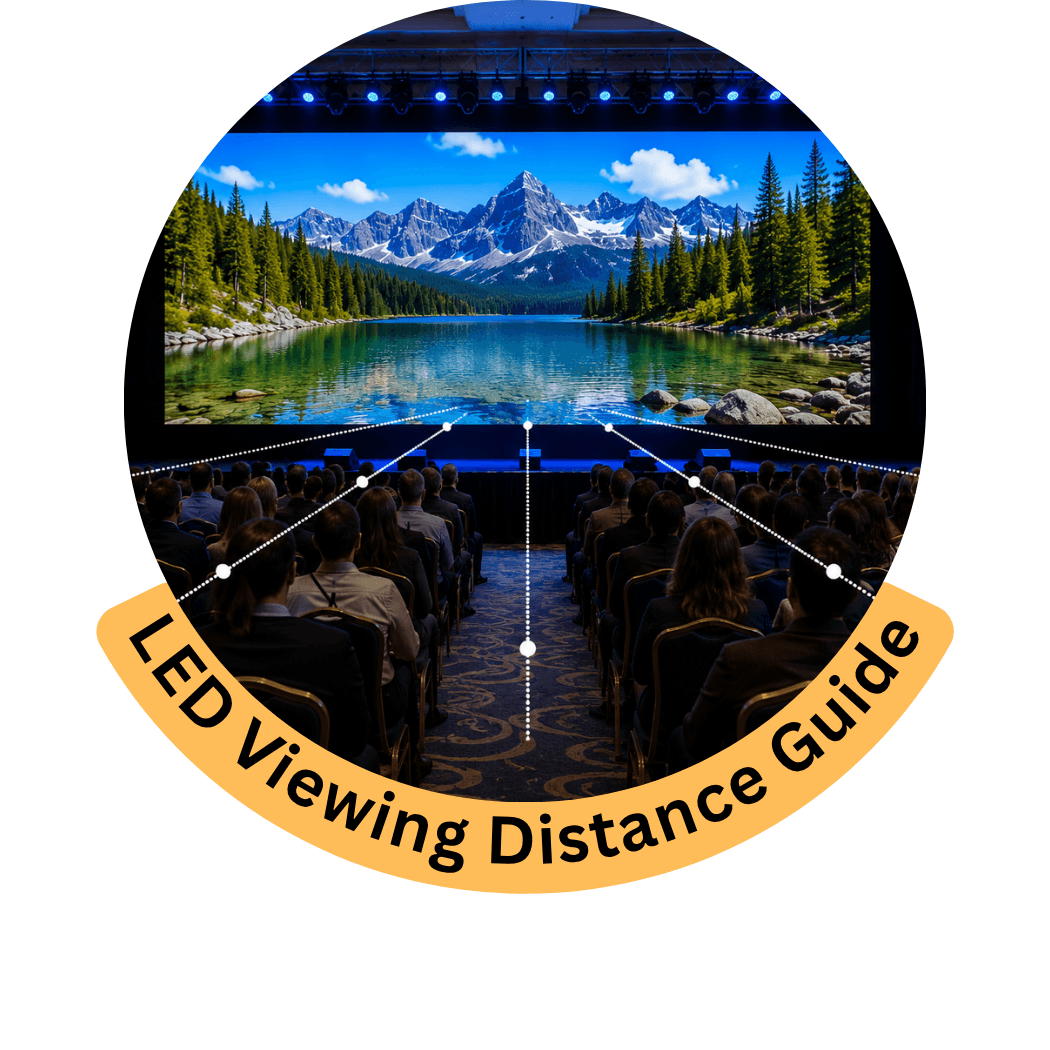
1. What Is LED Screen Viewing Distance?
LED screen viewing distance is the distance between the audience and the LED display. We evaluate both the closest practical viewer and the farthest audience position because they affect different parts of the display design.
| Viewing Factor | What We Evaluate | Why It Matters |
|---|---|---|
| Closest Viewer | Distance from the LED surface | Helps determine suitable pixel pitch |
| Farthest Viewer | Maximum audience distance | Helps determine physical screen size |
| Pixel Pitch | Distance between LED pixels | Influences pixel density and close-view quality |
| Screen Size | Physical width and height | Determines visibility across the audience |
| Content Detail | Text, charts, video, IMAG, graphics | Influences required resolution |
| Audience Layout | Width, depth and seating positions | Determines coverage and viewing angles |
| Screen Elevation | Height above the audience | Influences sightlines |
| Application | Conference, exhibition, outdoor event, etc. | Changes viewing requirements |
We therefore do not use viewing distance as one isolated specification. It is evaluated together with the complete LED system.
2. How Does Pixel Pitch Affect LED Viewing Distance?
Pixel pitch is the distance between individual LED pixels, normally measured in millimetres.
A smaller pixel pitch places pixels closer together:
Smaller Pixel Pitch → Greater Pixel Density → Better Close-Range Detail
A larger pixel pitch places pixels farther apart:
Larger Pixel Pitch → Lower Pixel Density → Better Suited to Longer Viewing Distances
For example, a fine-pitch indoor LED wall may be appropriate for attendees viewing detailed conference presentations from relatively close positions, while a large outdoor display viewed from much farther away may use a wider pixel pitch.
Pixel Pitch Is Not the Only Factor
Two events using the same pixel pitch can still require different LED configurations because of differences in:
- Screen dimensions
- Audience depth
- Content
- Native resolution
- Stage layout
- Screen elevation
- Viewing angles
We therefore select pixel pitch from the actual production environment, not from a generic viewing-distance chart alone.
3. What Is the Minimum Viewing Distance for an LED Wall?
There is no single minimum viewing distance that applies to every LED screen and every event.
A common planning reference is to compare pixel pitch in millimetres with viewing distance in metres. For example, a P2.6 display may begin to make practical sense at roughly a few metres depending on the content and expected visual quality.
However, this should be treated as a planning reference rather than an absolute rule.
We also evaluate:
- Content detail
- Text size
- Required image quality
- Screen dimensions
- Audience expectations
- Native resolution
- Camera use
- Indoor or outdoor conditions
Close-View Applications
Fine-pitch LED is particularly useful for:
- Corporate presentations
- Conferences
- Software demonstrations
- Financial data
- Product demonstrations
- Exhibition booths
- Detailed graphics
- Small text
For these applications, we evaluate actual content as well as audience distance before selecting the LED configuration.
4. How Do We Determine the Farthest Useful Viewing Distance?
The farthest viewing position is primarily a screen-sizing and content-visibility issue.
Even a very high-resolution LED wall can be ineffective if the physical screen is too small for attendees at the back of the venue.
We evaluate:
- Screen height
- Screen width
- Audience depth
- Content size
- Text size
- Speaker IMAG
- Stage position
- Screen elevation
- Audience sightlines
Physical Size Matters
Increasing pixel density does not make a physically small screen easier to see from a very long distance.
For distant audiences, increasing physical display size or adding supplemental screens can be more useful than simply specifying a finer pixel pitch.
Content Matters
A large speaker image can remain useful from a greater distance than a presentation slide filled with small text.
The farthest practical viewing distance therefore depends partly on what attendees actually need to see.
5. What Pixel Pitch Should We Use at Different Viewing Distances?
Pixel pitch should be selected from the actual event requirements, but the following ranges can be useful as an initial planning reference.
| Pixel Pitch | General Viewing Environment | Common Applications |
|---|---|---|
| P1.5–P1.9 | Very close indoor viewing | Premium corporate events, detailed presentations, broadcast-style environments |
| P2–P2.6 | Close indoor viewing | Conferences, corporate presentations, exhibitions, product demonstrations |
| P2.9–P3.9 | Moderate viewing distance | Conferences, galas, stages, trade shows, larger indoor events |
| P3.9–P4.8 | Moderate to longer viewing | Large stages, indoor/outdoor productions, concerts |
| P5–P6 | Longer viewing distance | Festivals, sporting events, outdoor stages |
| P8–P10 | Long-distance viewing | Large outdoor audiences, public viewing and selected large-format applications |
These are general planning ranges, not fixed specifications.
We determine the final pixel pitch after reviewing the screen dimensions, audience positions, content detail, environment, and required native resolution.
6. How Does Screen Size Affect Viewing Distance?
Screen size and viewing distance need to be evaluated together.
A larger screen can make content physically larger and easier to see from distant audience positions. However, increasing screen dimensions can also change:
- Native resolution
- LED cabinet quantity
- Processing requirements
- Structural support
- Power requirements
- Installation requirements
- Stage proportions
Screen Height
Screen height is particularly important for distant audiences because it determines the vertical space available for presentations, video, and speaker IMAG.
Screen Width
Width determines how much horizontal content can be displayed and can support wide scenic layouts such as:
Speaker IMAG | Presentation | Speaker IMAG
Large Rooms
For a deep conference room, increasing the main screen may improve visibility.
For extremely wide or deep rooms, supplemental screens may provide better coverage than continually increasing the dimensions of the primary LED wall.
7. How Does Content Affect LED Viewing Distance?
Content has a major effect on how useful an LED display remains at different audience distances.
PowerPoint & Keynote
Presentation slides can contain:
- Text
- Charts
- Tables
- Data
- Images
- Diagrams
These elements need sufficient physical size and pixel resolution to remain readable.
A presentation that looks excellent from the front row may contain text that is too small for attendees at the back.
Speaker IMAG
IMAG generally works well for large audiences because the speaker can occupy a significant portion of the display.
For conferences and general sessions, we can combine speaker IMAG with presentation content using a wider LED canvas.
Video
Video content can often tolerate greater viewing distances than small presentation text because attendees are viewing larger moving images rather than reading detailed information.
Software & Technical Demonstrations
Software interfaces, engineering diagrams, medical imagery, dashboards, and other detailed content may require finer pixel pitch and careful content sizing.
8. How Does Event Type Affect LED Viewing Distance?
Different event environments create different audience positions and content requirements.
| Event Type | Typical Viewing Consideration | LED Planning Priority |
|---|---|---|
| Corporate Event | Close-to-moderate audience distance | Fine detail and presentation readability |
| Conference | Front-row to deep-room viewing | Screen size + pixel pitch + IMAG |
| Trade Show | Very close attendee viewing | Fine pixel pitch and detailed content |
| Product Launch | Mixed viewing positions | Product detail + creative display scale |
| Gala / Awards | Moderate-to-long viewing | Stage visibility + IMAG |
| Wedding | Mixed room layout | Video, cameras and stage visibility |
| Concert | Long audience depth | Large screen + cameras + IMAG |
| Sporting Event | Long and distributed viewing | Large-format display and elevation |
| Outdoor Festival | Long viewing distances | Screen size + brightness + elevation |
Conferences
Conference audiences can extend from attendees seated close to the stage to viewers at the back of a large ballroom or convention space.
We therefore balance fine-pitch performance for nearby attendees with sufficient physical screen size for distant viewers.
Trade Shows
Trade show attendees frequently stand only a short distance from the LED wall.
Fine-pitch LED can therefore be important when the display contains product details, text, technical graphics, or software demonstrations.
Outdoor Events
Outdoor audiences are often farther from the display. In these applications, physical screen size, elevation, brightness, and positioning can become more important than specifying an extremely fine pixel pitch.
9. How Do We Plan Viewing Distance for Conferences and Corporate Events?
Conference and corporate LED screens often need to serve attendees sitting at very different distances from the stage. We therefore plan for both close-view image quality and long-distance content visibility.
Front-Row Viewing
Attendees near the stage may see the LED surface from only a few metres away. For these positions, we evaluate:
- Pixel pitch
- Pixel density
- Content detail
- Native resolution
- Text size
- Screen elevation
Fine-pitch LED can be appropriate when attendees need to read detailed PowerPoint slides, charts, financial information, or software interfaces.
Rear Audience Viewing
For attendees farther from the stage, physical screen dimensions become increasingly important.
A finer pixel pitch alone will not make small presentation content readable from the back of a large room.
We therefore evaluate:
Farthest Viewer → Required Content Size → Physical Screen Size → Pixel Pitch → Native Resolution
Wide Conference Rooms
For wide rooms, side seating can create difficult viewing angles. Depending on the layout, supplemental displays can provide better coverage than one oversized central screen.
10. How Do We Plan Viewing Distance for Trade Shows and Exhibitions?
Trade show LED displays are commonly viewed from much shorter distances than large stage screens.
We evaluate:
- Booth dimensions
- Aisle position
- Closest attendee distance
- Content detail
- Product positioning
- LED wall dimensions
- Pixel pitch
- Native resolution
- Booth architecture
Close-Range Viewing
Fine-pitch LED can be useful when attendees approach the display closely and need to see:
- Product details
- Technical specifications
- Software interfaces
- Small text
- Data
- Detailed graphics
- High-resolution branding
Viewing From the Aisle
A trade show LED wall may also need to attract attendees from farther down the aisle.
The screen therefore needs to balance close-view quality with sufficient physical scale for longer-distance visibility.
Booth Positioning
Screen orientation also matters. A high-resolution LED wall provides limited value if booth architecture, structures, or product displays block important audience sightlines.
11. How Do We Plan Viewing Distance for Outdoor LED Screens?
Outdoor LED viewing distances are frequently greater than indoor event viewing distances.
For festivals, concerts, sporting events, fan zones, and public events, we evaluate:
- Audience depth
- Audience width
- Screen dimensions
- Screen elevation
- Pixel pitch
- Brightness
- Daylight conditions
- Viewing angles
- Screen position
- Content type
Physical Screen Size
For long-distance viewing, the physical size of the screen becomes critical.
A large outdoor audience needs content that is physically large enough to see from the intended viewing area.
Screen Elevation
Raising the display can improve sightlines where standing audiences, barriers, stages, or other people may obstruct lower viewing positions.
Multiple Outdoor Screens
For very large or distributed audiences, multiple displays may provide better coverage:
Outdoor LED ← Main Event Area → Outdoor LED
This can reduce extreme viewing distances and improve visibility across the site.
12. How Do Cameras and IMAG Improve Visibility for Distant Audiences?
IMAG — Image Magnification — uses live cameras to provide enlarged images of speakers, performers, presenters, or stage activity on LED screens.
It can be particularly important when attendees are too far from the stage to clearly see facial expressions or presentation activity.
Conference IMAG
A wide LED canvas can be divided into content zones:
| Left Zone | Centre Zone | Right Zone |
|---|---|---|
| Speaker IMAG | PowerPoint / Keynote | Speaker IMAG |
This provides both presentation content and enlarged views of the presenter.
Concert & Performance IMAG
For concerts and entertainment productions, cameras can capture performers while large LED displays provide close-up views to distant audience positions.
Supplemental IMAG Displays
Instead of placing every source on one LED wall, additional screens can be positioned around large venues or event sites to improve audience coverage.
The complete workflow can be:
Cameras → Video Switching → Processing → Main LED + Supplemental Displays
13. How Do Viewing Angle and Screen Position Affect LED Visibility?
Viewing distance alone does not determine whether attendees can see an LED screen effectively.
We also evaluate the horizontal viewing angle, vertical viewing angle, screen elevation, audience orientation, and physical obstructions.
Horizontal Viewing Angle
Attendees positioned far to the side of a stage may have a less effective view than attendees at the same distance directly in front of the display.
For very wide audiences, supplemental screens can help improve coverage.
Vertical Viewing Angle
A screen positioned too low may be blocked by attendees, scenic elements, equipment, or other structures.
A screen positioned unnecessarily high can create uncomfortable viewing angles for nearby attendees.
Physical Obstructions
We evaluate potential obstructions including:
- Staging
- Speakers
- Lighting structures
- Scenic elements
- Columns
- Booth structures
- Camera positions
- Other attendees
Screen placement should therefore be planned from the actual audience layout rather than viewing distance alone.
14. What LED Viewing Distance Mistakes Do We Help Prevent?
Correct LED selection requires viewing distance, pixel pitch, physical screen dimensions, and content to be considered together.
Choosing Pixel Pitch From a Generic Formula Alone
A simple pixel-pitch-to-distance rule can be useful for initial planning, but it does not account for screen size, content detail, native resolution, or audience expectations.
We use these relationships as a reference rather than an absolute specification.
Choosing Pixel Pitch Only for the Closest Viewer
The closest viewer helps determine pixel density, but the farthest viewer also needs to see the content.
A fine-pitch screen that is physically too small can still be ineffective for a deep audience.
Choosing Screen Size Only for the Farthest Viewer
Making the LED wall extremely large does not automatically solve close-view image-quality requirements.
Physical dimensions and pixel pitch need to work together.
Ignoring Content Detail
A large speaker image and a spreadsheet containing small numbers have very different viewing requirements.
We review the actual content type before finalizing the LED configuration.
Using Text That Is Too Small
Even a properly specified LED wall cannot make poorly designed presentation content readable from every distance.
Important information should be designed around the actual audience and screen environment.
Ignoring Side Viewing Positions
Audience members may be physically close to the screen but positioned at an ineffective viewing angle.
We evaluate audience width and screen orientation in addition to straight-line distance.
15. What Information Do We Need to Recommend Pixel Pitch and Viewing Distance?
You do not need to select the pixel pitch yourself. We can determine an appropriate configuration from the event information.
| Information | Why We Need It |
|---|---|
| Venue / Location | Helps establish the viewing environment |
| Indoor or Outdoor | Influences LED technology and brightness |
| Audience Size | Helps establish overall display scale |
| Audience Layout | Shows audience width and depth |
| Closest Viewing Distance | Helps determine suitable pixel pitch |
| Farthest Viewing Distance | Helps determine physical screen size |
| Stage Dimensions | Establishes available display space |
| Content Type | Determines required visual detail |
| Screen Dimensions | Helps calculate native resolution |
| Cameras / IMAG | Determines live-video requirements |
| Screen Position | Helps evaluate viewing angles and elevation |
| Supplemental Displays | Helps improve coverage for distributed audiences |
If exact measurements are unavailable, provide the venue, approximate audience size, stage dimensions, seating layout, and content type. We can use those details to begin determining the display configuration.
16. What Do We Verify Before Finalizing LED Viewing Distance?
Before finalizing an LED system, we verify that the screen provides appropriate visibility for the intended audience positions.
| We Verify | What We Confirm |
|---|---|
| Closest Viewer | Appropriate pixel density for close viewing |
| Farthest Viewer | Sufficient physical display size |
| Pixel Pitch | Suitable for viewing distance and content detail |
| Screen Width | Appropriate horizontal content area |
| Screen Height | Sufficient vertical visibility for distant viewers |
| Native Resolution | Adequate pixel canvas for required content |
| Content Detail | Text, graphics, video and data remain practical |
| Audience Layout | Coverage across relevant seating positions |
| Viewing Angles | Practical visibility from side positions |
| Screen Elevation | Appropriate sightlines over audience and obstructions |
| Cameras & IMAG | Live images are large enough for distant viewers |
| Supplemental Displays | Added where one screen cannot provide effective coverage |
The final LED configuration should balance closest viewing distance, farthest viewing distance, pixel pitch, physical screen dimensions, native resolution, content, audience layout, and screen positioning rather than relying on one viewing-distance number alone.