
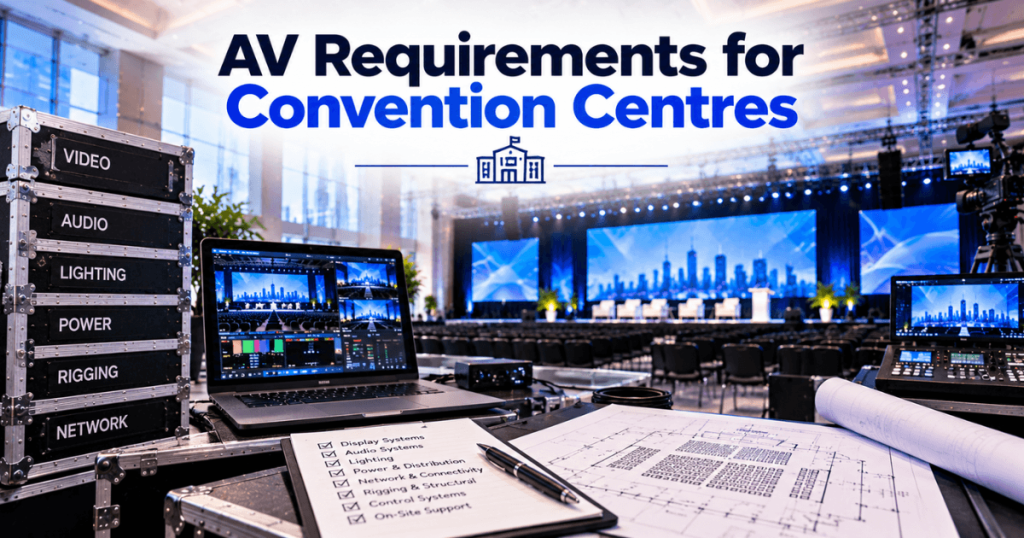
Planning audiovisual production at a Toronto convention centre requires more than selecting an LED wall, sound system, and lighting package. Event organizers must also account for venue rules, electrical services, rigging, loading access, internet connectivity, and the time available for installation and removal.
These requirements affect conferences, trade shows, corporate meetings, product launches, and exhibitions differently. A keynote stage may need a large LED backdrop and camera system, while an exhibition booth may require fine-pitch displays, dedicated power, and an installation plan that complies with the exhibitor manual.
Our Toronto LED screen rental team supports events throughout Toronto and the GTA, with 23+ years of event production experience. We plan visual systems around the assigned event space, audience, content, and production schedule.
This guide explains the main AV requirements to review before confirming equipment or booking technical suppliers.
What AV Equipment Does a Convention Centre Event Need?
The equipment list depends on the event format, room size, audience, and program.
AV System | Typical Purpose |
|---|---|
LED screens or projection | Presentations, branding, video, and IMAG |
Audio system | Speech, music, and playback |
Microphones | Presenters, panels, and audience questions |
Stage lighting | Presenter visibility and event atmosphere |
Video switching | Managing presentations, cameras, and playback |
Cameras | IMAG, recording, and livestreaming |
Confidence monitors | Presenter reference |
Media playback | Videos, graphics, and event content |
Power and signal distribution | Connecting and operating technical systems |
Not every event requires all these systems. Define the program first, then build an equipment package that supports it.
Which Toronto Convention Centres Have Different AV Requirements?
The same equipment package may need different approvals and labour arrangements at different facilities. Always obtain the current venue guide and the manual for your particular event.
Venue | AV Planning Considerations |
|---|---|
Metro Toronto Convention Centre (MTCC) | Review its operating guidelines, rigging policy, exhibitor forms, and technology service requirements. |
Enercare Centre at Exhibition Place | Confirm electrical, internet, audiovisual labour, and overhead installation arrangements with the venue and show organizer. |
Toronto Congress Centre | Request the assigned hall’s technical specifications, approved service arrangements, and loading instructions. |
International Centre, Mississauga | Confirm the hall layout, electrical orders, rigging arrangements, and exhibitor service requirements. |
MTCC publishes planner and exhibitor documentation, including its 2026–27 guidelines. Exhibition Place identifies exclusive service providers for several utilities and exhibitor services.
What Are the LED Screen Requirements for Convention Centres?
LED screen planning should begin with the room dimensions, audience layout, content, and permitted installation method.
1. Screen Size and Viewing Distance
A keynote screen should be large enough for attendees to see the content from the intended seating areas. Detailed slides require particular attention to readability.
For exhibition booths, consider how closely visitors will stand to the screen.
2. Pixel Pitch
Pixel pitch is the distance between adjacent LED pixels. A smaller pitch generally supports finer detail at closer viewing distances.
Pixel Pitch | Application to Evaluate |
|---|---|
P1.9 | Close-view presentations and detailed graphics |
P2.6 | Indoor conferences and trade show displays |
P2.9 | Indoor event backdrops |
P3.9 | Larger displays with greater viewing distances |
These are planning examples, not fixed venue requirements. Final selection depends on the specific LED product and screen dimensions.
3. Content Resolution
Confirm the finished LED canvas before creating graphics. An ultra-wide backdrop may require a custom aspect ratio rather than a standard 16:9 presentation.
4. Installation Method
Determine whether the display will be ground-supported or suspended. The chosen method affects stage space, structure, labour, and approvals.
What Are the Rigging Requirements for LED Walls and AV Equipment?
Rigging requirements apply when equipment is suspended from a venue structure.
Depending on the installation, this may include LED walls, speakers, lighting, truss, and hanging signs.
Before confirming a flown system, establish:
Whether suspension is permitted in the assigned space
Approved rigging points and load limits
Required drawings and documentation
Who is authorized to install the rigging
Submission and approval deadlines
Installation and removal access
MTCC publishes a dedicated rigging policy. Its venue documentation should be reviewed before designing an overhead installation.
Do not assume an external AV supplier can independently perform every installation task. Some work may be restricted to a venue’s authorized provider or labour arrangement.
What Electrical Power Is Required for Convention Centre AV?
Electrical planning should cover the complete system, including LED panels, processors, audio, lighting, cameras, and supporting equipment.
The power requirement depends on the actual equipment configuration. It cannot be determined accurately from LED wall dimensions alone.
Prepare a Power Schedule
Equipment | Information to Confirm |
|---|---|
LED wall | Model-specific maximum and typical power |
Video processing | Processor and supporting equipment loads |
Audio | Amplifiers, consoles, and accessories |
Lighting | Fixture and distribution requirements |
Cameras and control | Power supplies and operating positions |
Backup systems | Additional circuits, if specified |
Include the required connection type, distribution plan, and location of each system.
At Exhibition Place, electrical and related utility services are identified as exclusive exhibitor services. MTCC also provides official exhibitor service ordering information.
Confirm the applicable electrical ordering process before load-in.
What Audio Requirements Should You Review?
Audio requirements depend on the room, audience, and program.
A panel discussion may need several wireless or wired microphones. A keynote presentation may need a headset or lavalier microphone, while an awards ceremony may require playback and multiple presenter positions.
Review:
Audience seating and speaker coverage
Number and type of microphones
Presentation and video audio
Stage monitoring
Recording and livestream feeds
Audio requirements for breakout rooms
Technical operation during the event
For a multi-room conference, prepare a separate audio specification for each room.
What Video and Camera Systems Are Needed?
Large convention centre events may require more than one presentation source.
A video system can connect presentation laptops, playback computers, cameras, LED walls, confidence monitors, and recording equipment.
Video Component | Purpose |
|---|---|
Video switcher | Selects sources during the program |
LED processor | Maps content to the display |
Playback system | Runs videos and graphics |
Camera system | Captures presenters and demonstrations |
IMAG displays | Shows live camera views to the audience |
Confidence monitor | Provides presenter reference |
Recording system | Captures the event, if required |
For large general sessions, consider whether attendees seated far from the stage need IMAG screens.
What Internet and Livestreaming Requirements Apply?
If the event includes livestreaming, remote speakers, online demonstrations, or connected registration systems, confirm connectivity with the venue in advance.
Ask about:
Wired connection availability
Required upload bandwidth
Network access at the production position
Dedicated or shared service options
Backup connectivity
Restrictions on external routers and access points
MTCC’s exhibitor guidelines restrict unauthorized wireless routers, access points, and personal hotspots. Exceptions require venue consideration.

For a critical livestream, do not rely on public attendee Wi-Fi without reviewing the production’s connectivity needs.
What Are the Loading and Installation Requirements?
Convention centre installations require a schedule that accounts for deliveries, freight movement, stage access, technical setup, and removal.
At MTCC, exhibitor guidelines direct equipment requiring dollies or pallet jacks through designated loading areas rather than public entrances or passenger elevators.
Before delivery, confirm the following with the venue or show organizer:
Requirement | What to Verify |
|---|---|
Loading dock | Assigned entrance and access time |
Freight handling | Applicable contractor arrangements |
Equipment route | Door, corridor, and elevator dimensions |
Installation window | When technical crews can access the space |
Testing window | Time reserved for system checks |
Rehearsal | Access before the live program |
Strike | Removal deadline and loading arrangements |
A large LED wall may be quick to operate once installed, but its installation still depends on the surrounding venue and production schedule.
How Do You Prepare an AV Specification for a Toronto Convention Centre?
An AV specification gives the venue and technical suppliers the information needed to review the proposed setup.
Include:
Event name, date, and assigned hall or meeting room
Expected attendance and seating layout
Stage dimensions and proposed floor plan
LED wall size, pixel pitch, and installation method
Audio and microphone requirements
Lighting requirements
Camera, IMAG, and livestream needs
Electrical and internet requirements
Equipment delivery and installation schedule
Technical rehearsal and removal schedule
Include drawings where required. Confirm which supplier is responsible for each service and approval.
What AV Package Do You Need for Your Event?
The appropriate package depends on audience size, content, room layout, and event format.
Event Type | Typical AV Requirements | Key Planning Priority |
|---|---|---|
Corporate conference | Main LED wall, microphones, audio, lighting, presentation switching | Clear content and reliable speaker transitions |
Trade show booth | Fine-pitch LED display, processing, playback, power | Booth dimensions and exhibitor rules |
Product launch | Branded LED backdrop, lighting, audio, video playback | Coordinated visual and show cues |
Awards ceremony | Main display, presenter microphones, lighting, cameras | Stage visibility and smooth transitions |
Multi-room convention | Main-stage AV, breakout-room systems, signage | Consistent operation across rooms |
Hybrid conference | In-room AV, cameras, streaming, remote-speaker connections | Reliable signal and internet workflows |
These are planning examples, not fixed equipment packages. Final specifications should be developed for the assigned venue space.
How Should You Budget for Convention Centre AV?
A complete AV budget includes equipment, venue services, labour, logistics, and live operation.
Main AV Budget Categories
Category | What to Include |
|---|---|
LED and video | Panels, processors, switching, playback |
Audio | Speakers, microphones, consoles, monitoring |
Lighting | Fixtures, control, distribution |
Cameras | IMAG, recording, streaming, operators |
Support structures | Ground support or approved rigging |
Electrical | Required connections and distribution |
Internet | Production connectivity, if needed |
Labour | Installation, testing, operation, removal |
Logistics | Transport, freight, loading arrangements |
Contingency | Allowance for approved changes |
Compare Quotes Using the Same Scope
Before selecting a supplier, confirm whether each quote includes delivery, installation, show-day operation, and removal.
Also distinguish supplier charges from services ordered directly through the venue or its authorized providers.
The lowest equipment-only quote is not necessarily the lowest complete event cost.
How Do You Coordinate AV Suppliers and Venue Services?
A convention centre production may involve an external AV company, venue technical staff, authorized service providers, the show organizer, and several exhibitors.
Assign responsibility for each task before the event.
Responsibility | Party to Confirm |
|---|---|
Overall production schedule | Event producer |
Venue access and operating rules | Venue coordinator |
Electrical service orders | Venue or authorized provider |
Rigging approval and installation | Venue-approved parties |
LED installation and processing | LED supplier |
Audio and lighting | Assigned AV departments |
Presentation content | Event content team |
Internet connectivity | Venue network team or approved provider |
Live technical cues | Technical director or show caller |
One supplier may handle several responsibilities. The important point is to establish who will order, approve, install, test, and operate each service.
What Is the AV Setup Process for a Convention Centre Event?
The installation sequence should account for the venue’s access schedule and the dependencies between technical departments.
1. Confirm the Approved Production Plan
Review the floor plan, equipment list, electrical arrangements, installation method, and supplier responsibilities.
2. Coordinate Delivery and Loading
Confirm the assigned loading entrance, delivery window, equipment route, and any required freight arrangements.
3. Install Support Structures
Complete approved staging, ground support, or rigging work before mounting equipment that depends on those structures.
4. Install AV Equipment
Position the LED screens, audio system, lighting, cameras, processors, and control equipment.
5. Connect Power and Signals
Check electrical distribution, video routing, audio connections, and network services.
6. Test the Complete System
Verify every presentation source, microphone, video file, camera feed, and display.
7. Conduct the Technical Rehearsal
Run the event program with its actual content and cues.
8. Operate and Remove the System
Provide the agreed technical coverage during the event and complete removal within the approved venue window.
How Do You Test LED Screens and Video Systems Before an Event?
An LED wall should be tested as part of the complete video workflow, not only as an individual display.
LED and Video Testing Checklist
Confirm the screen’s physical dimensions and pixel canvas.
Check image scaling and aspect ratio.
Test presentation laptops and backup sources.
Verify video playback and associated audio.
Check brightness and colour consistency.
Test camera feeds and IMAG switching.
Review content readability from audience seating.
Confirm confidence monitor outputs.
Test source transitions and show cues.
Verify the agreed backup procedures.
For camera-based events, check LED brightness together with stage lighting and camera exposure.
What Are Common AV Planning Mistakes at Convention Centres?
Mistake | Potential Problem | Prevention |
|---|---|---|
Finalizing equipment before reviewing venue rules | Installation changes or additional costs | Obtain current venue documents early |
Ignoring rigging requirements | Approval or installation delays | Confirm the proposed support method |
Underestimating electrical needs | Insufficient power arrangements | Prepare an equipment power schedule |
Ordering internet too late | Connectivity problems | Confirm service requirements in advance |
Selecting the wrong LED pixel pitch | Poor readability or unnecessary cost | Review viewing distances |
Using the wrong content dimensions | Cropped or scaled visuals | Confirm the final display canvas |
Overlooking loading access | Delivery delays | Coordinate freight and load-in |
Skipping technical rehearsal | Problems during the live program | Reserve a rehearsal window |
The most effective way to avoid these issues is to connect the AV design with the venue’s operating requirements before equipment is booked.
Convention Centre AV Planning Checklist
Use this checklist when preparing a Toronto convention centre event.
Frequently Asked Questions About Convention Centre AV in Toronto
1. What AV equipment is required for a convention centre conference?
A typical conference may need a main display, microphones, speakers, lighting, presentation switching, and technical operation. Cameras, IMAG, and streaming depend on the event format and audience.
2. Can I bring an external AV supplier to a Toronto convention centre?
External suppliers may be permitted, but their work can be subject to venue policies and authorized service arrangements. Confirm the current rules for the specific facility and event.
3. Do convention centres provide electrical power for LED walls?
Convention centres offer electrical services, but organizers may need to order specific connections and distribution. Requirements depend on the venue and the equipment’s power load.
4. Can LED screens be suspended from a convention centre ceiling?
Suspension may be possible in approved areas. The installation must follow the venue’s rigging requirements, including applicable documentation, load limits, and authorized labour arrangements.
5. What pixel pitch should I choose for an indoor conference?
Fine-pitch options such as P1.9 or P2.6 may suit close-view presentations. The final choice depends on screen size, content detail, viewing distance, and the specific LED product.
6. How large should a convention centre LED screen be?
The screen should be sized for the audience layout and intended content. Review the closest and farthest viewing positions, stage dimensions, and available installation space.
7. Do I need IMAG screens for a large conference?
IMAG screens may improve presenter visibility in wide or deep rooms. Their value depends on seating layout, stage distance, and the main display configuration.
8. Can I use venue Wi-Fi for livestreaming?
Confirm the venue’s network services and production requirements first. A critical livestream may need a suitable wired or dedicated connection rather than shared attendee Wi-Fi.
9. How much time is needed to install convention centre AV?
Installation time depends on equipment quantity, support structures, venue access, and crew. Request a project-specific schedule that includes testing, rehearsal, and removal.
10. What should I provide when requesting a convention centre AV quote?
Share the venue, assigned room, event date, audience size, floor plan, stage dimensions, program, AV requirements, content details, and available installation and removal windows.
Why Choose Our Toronto LED Screen Rental Team?
Convention centre AV requires technical planning that accounts for both the event and the venue. An LED system must fit the approved space, support the content, and work with the audio, lighting, camera, and presentation systems.
Our Toronto LED screen rental capabilities include:
Fine-pitch indoor LED video walls
Large-format conference displays
Trade show and exhibition LED screens
Creative and ultra-wide LED configurations
Ground-supported LED systems
Rigging coordination for flown displays
Video processing and presentation switching
Cameras and IMAG
Media playback and signal distribution
Installation, testing, and removal
Live technical operation
With 23+ years of event production experience, we support conferences, conventions, trade shows, corporate meetings, and product launches throughout Toronto and the GTA.
Successful convention centre AV starts with a clear equipment specification, confirmed venue requirements, coordinated suppliers, and sufficient testing time. These steps help the technical team deliver a reliable system throughout the event.